

Synthesis Spotlight: Firmwide Learning @ Turner Fleischer
Featured Guests
Ellen Bensky, CEO of Turner Fleischer Architects
Webinar Summary
This Office Hours recording features Ellen Bensky, CEO of Turner Fleischer Architects, sharing how their intranet, Newton, supports firmwide learning through Turner Fleischer Academy.
Six years ago, Turner Fleischer recognized it needed a way to accelerate learning in order to bridge knowledge gaps between new graduates and experienced staff.
Three years ago, they launched Newton, their knowledge management platform.
Today, they have a robust firm university program administered through Newton to provide ongoing training and continuing education opportunities.
In this recorded webinar, you’ll learn how Turner Fleischer:
Accelerates learning in a digital age
Supports teachers with instructor resources
Fosters a more collaborative and engaged workforce
If you only have a few minutes, we recommend jumping to two highlights:
Transition to Remote Learning (10:00)
Using Synthesis to maintain culture and connection in WFH status (37:50)
Featured Guests
Ellen Bensky, CEO of Turner Fleischer Architects
Webinar Summary
This Office Hours recording features Ellen Bensky, CEO of Turner Fleischer Architects, sharing how their intranet, Newton, supports firmwide learning through Turner Fleischer Academy.
Six years ago, Turner Fleischer recognized it needed a way to accelerate learning in order to bridge knowledge gaps between new graduates and experienced staff.
Three years ago, they launched Newton, their knowledge management platform.
Today, they have a robust firm university program administered through Newton to provide ongoing training and continuing education opportunities.
In this recorded webinar, you’ll learn how Turner Fleischer:
Accelerates learning in a digital age
Supports teachers with instructor resources
Fosters a more collaborative and engaged workforce
If you only have a few minutes, we recommend jumping to two highlights:
Transition to Remote Learning (10:00)
Using Synthesis to maintain culture and connection in WFH status (37:50)
Webinar Timeline
Announcements
01:28 KA Connect 2020: The Art of Change
03:15 Community 2020: Sharing Ideas + Connecting People
04:36 What’s Next?
05:11 April 2020 Agenda
07:37 Spring Product Update
08:16 Call for Ideas
09:26 Introduction: Ellen Bensky @ Turner Fleischer
Firmwide Learning at Turner Fleischer
10:00 Transition to Remote Learning
10:48 Introduction to TF
11:52 Why a Culture of Learning?
TF Academy
14:05 TF Academy Learning Page
15:10 Winter 2020 Class List
16:16 Sessions Breakdown
17:02 Learning Calendar
17:20 Who is Teaching?
18:10 Supporting TF Academy Teachers
19:20 Content Preparation & Review
20:06 Scheduling
20:33 Promotion and Launch
21:05 Promoting Class Registration
21:30 Teaching and Feedback Survey
22:10 Work Shadowing
23:29 #Jeremy+1
24:23 #LessonsLearned
Q+A
26:00 Q: How has the feedback form changed over time?
27:40 Q: How did you decide on the right number of classes to offer?
28:18 Q: What is the review process for content and how long does that typically take?
29:42 Q: Do you record sessions and make them available after the fact?
30:36 Q: Do you archive lessons learned posts for later retrieval?
32:45 Q: How do you address staff hesitation for teaching or taking classes?
33:49 Q: How do you measure hours committed to learning?
35:28 Q: How do you select who gets into each class?
36:50 Q: How much time does the team commit to TF Academy administration?
37:50 Q: What ways are you using Newton to maintain culture and connection in WFH status?
43:30 Q: How do you watch a movie together remotely?
44:08 Virtual Bike Rides with Zwift
About Office Hours
Office Hours is 60 minutes of news, stories, and Q+A with Susan, Chris, Sarah, and special guests from the KA Advance community. You can watch recordings of past Office Hours webinars here.
More Office Hours Webinars

Register for our next Office Hours Webinar

Synthesis Spotlight: Streamlining Business Processes with Online Forms at Schmidt, RCH, and ESA
Featured Guests
Libby Budack, Data Specialist at Schmidt Associates
Matt Richmond, Chief Technology Officer at RCH Studios
Eric Klotz, Principal at ESa
Webinar Summary
In this month’s Office Hours, team members from Schmidt Associates, RCH Studios, and ESa shared how they are using Synthesis to improve information flow across the firm with online forms.
Schmidt Associates’ Libby Budack shared how they gather internal employee recognition nominations with formstack.
RCH Studios’ Matt Richmond shared how they engage employees in employee & project information maintenance with Microsoft Forms in Office 365.
ESa’s Eric Klotz shared how they use a Smartsheet form to streamline the process of starting up new projects.
In this webinar, you’ll:
Understand several common business processes that can be automated using online forms
Learn about a variety of online form technologies that can integrate with Synthesis
See how forms are displayed on Synthesis
If you only have a few minutes, we recommend jumping to three highlights:
The Starfish Award Form (10:13)
Office 365 Forms Tutorial (16:07)
New Project Request Form (28:28)
Featured Guests
Libby Budack, Data Specialist at Schmidt Associates
Matt Richmond, Chief Technology Officer at RCH Studios
Eric Klotz, Principal at ESa
Webinar Summary
In this month’s Office Hours, team members from Schmidt Associates, RCH Studios, and ESa shared how they are using Synthesis to improve information flow across the firm with online forms.
Schmidt Associates’ Libby Budack shared how they gather internal employee recognition nominations with formstack.
RCH Studios’ Matt Richmond shared how they engage employees in employee & project information maintenance with Microsoft Forms in Office 365.
ESa’s Eric Klotz shared how they use a Smartsheet form to streamline the process of starting up new projects.
In this webinar, you’ll:
Understand several common business processes that can be automated using online forms
Learn about a variety of online form technologies that can integrate with Synthesis
See how forms are displayed on Synthesis
If you only have a few minutes, we recommend jumping to three highlights:
The Starfish Award Form (10:13)
Office 365 Forms Tutorial (16:07)
New Project Request Form (28:28)
Webinar Timeline
Announcements
01:17 KA Connect 2020 Speakers Announced
01:45 Synthesis Workshop San Francisco 2020
03:20 New Support Article: Publish a Form on Synthesis
Schmidt Associates: formstack
04:30 Introduction to Schmidt Associates
05:58 Synthesis Implementation (KAL)
06:28 formstack Introduction
06:42 Pre-form Challenges
07:20 Benefits of Forms
07:50 The Starfish Award
09:00 Award Examples
10:13 The Starfish Award Form
11:00 Automated Workflows
11:30 Other Forms
RCH Studios: Office 365 Forms + PowerAutomate
13:48 Introduction to RCH Studios
14:25 Synthesis Implementation (Loop)
14:35 Deltek Data Correction Form
16:07 Office 365 Forms Tutorial
17:35 Automate with Microsoft PowerAutomate
19:05 Improving the Data Correction Form
ESa: Smartsheet
22:02 Introduction to ESa
22:55 Where it Started: Project Scheduling
23:50 Smartsheet Introduction
24:50 Additional Features: Project Data Collection
25:22 Project Dashboards
26:10 Project Tracking, Meeting Notes, Team Members
27:00 Project Managers Meeting
27:23 Integrating Forms with Synthesis (SLATE)
28:28 New Project Request Form
29:12 Active Project Management Process (Workflow)
30:02 Principal Intake Request Data Review
30:55 Smartsheet Dashboards and Reports
32:28 Next Steps: Smartsheet and Deltek Data Synchronization
Q+A
33:00 Q: Has anyone come up against the issue of validating the data that is coming in from these forms, and have there been any challenges expressed from the people that are entering that data into Deltek from the forms?
35:35 Q: Is Microsoft PowerAutomate part of Microsoft Office 365?
35:37 Q: Is Smartsheet being used as your Project Management solution?
37:19 Q: Is Smartsheet helping to create and customize those dashboards?
38:30 Q: What has the response been from staff who are receiving and processing the information from forms?
41:08 Q: Have any of you observed any hesitation on adoption?
43:05 Q: With the project initiation form, is that the only way you will accept a new project?
43:58 Q: Where do you house the emails/information generated from request forms?
46:18 Q: What advice do you have for someone who is thinking about integrating forms?
About Office Hours
Office Hours is 60 minutes of news, stories, and Q+A with Susan, Chris, Sarah, and special guests from the KA Advance community. You can watch recordings of past Office Hours webinars here.
More Office Hours Webinars
Register for our next Office Hours Webinar

Launching Synthesis @ RDG Planning & Design
Featured Guests
Ron Heims, Principal and IT Director at RDG Planning & Design
Susan Strom, Director of Client Success at Knowledge Architecture
Webinar Summary
Twelve years ago, RDG Planning & Design developed an intranet to help employees find firmwide standards, procedures, and company announcements. Over time, their homegrown intranet had become cumbersome to maintain and the content became outdated. As RDG evolved, they needed a knowledge-sharing solution that was more flexible and supportive of user-generated content.
Last year, RDG partnered with Knowledge Architecture to reboot their intranet technology, governance, and team. The result is their new Synthesis intranet, “The Know.”
Today, 100% of employees visit “The Know” monthly, 95% of employees access essential standards and guides monthly, and 80 - 95% of employees open news and announcement posts weekly.
In this webinar Ron and Susan share RDG’s story along with current best practices for launching an awesome intranet, including:
What makes an awesome intranet?
Who makes an awesome intranet?
How to launch your intranet awesomely.
We wrap up with a brief tour of RDG’s awesome intranet!
If you only have a few minutes, we recommend jumping to three highlights:
Great Intranet Teams (19:04)
Kübler-Ross Change Curve (29:24)
Brief Tour of RDG’s Awesome Intranet (38:48)
Featured Guests
Ron Heims, Principal and IT Director at RDG Planning & Design
Susan Strom, Director of Client Success at Knowledge Architecture
Webinar Summary
Twelve years ago, RDG Planning & Design developed an intranet to help employees find firmwide standards, procedures, and company announcements. Over time, their homegrown intranet had become cumbersome to maintain and the content became outdated. As RDG evolved, they needed a knowledge-sharing solution that was more flexible and supportive of user-generated content.
Last year, RDG partnered with Knowledge Architecture to reboot their intranet technology, governance, and team. The result is their new Synthesis intranet, “The Know.”
Today, 100% of employees visit “The Know” monthly, 95% of employees access essential standards and guides monthly, and 80 - 95% of employees open news and announcement posts weekly.
In this webinar Ron and Susan share RDG’s story along with current best practices for launching an awesome intranet, including:
What makes an awesome intranet?
Who makes an awesome intranet?
How to launch your intranet awesomely.
We wrap up with a brief tour of RDG’s awesome intranet!
If you only have a few minutes, we recommend jumping to three highlights:
Great Intranet Teams (19:04)
Kübler-Ross Change Curve (29:24)
Brief Tour of RDG’s Awesome Intranet (38:48)
Webinar Timeline
Announcements
00:52 KA Connect 2020 Registration Open
02:14 Synthesis Workshop San Francisco 2020
03:53 Introduction: Ron @ RDG Planning
Launching an Awesome Intranet!
05:00 Introduction to RDG
06:10 Supporting a Remote Workforce
08:24 RDG Business Strategies
09:53 RDG’s Existing Intranet: The Know
11:04 Introduction to Knowledge Architecture
12:04 Why Get a New Intranet?
13:50 Roadmap Outline
What Makes an Awesome Intranet?
14:25 Intranet Maturity Model
16:25 RDG Intranet Survey
17:30 RDG’s Year 1 Priorities
Who Makes an Awesome Intranet?
18:12 Who Do You Involve in Organizational Change?
19:04 Great Intranet Teams
20:20 Core Team vs Content Team
21:27 Core Team Responsibilities
22:06 Content Team Responsibilities
22:37 Core Team Roles
24:04 Content Team Roles
24:43 Stakeholder Analysis: Essential Content
26:22 RDG Intranet Team
Launching Your Intranet Awesomely
28:10 Behavior Change Process: Transition Patterns
29:24 Kübler-Ross Change Curve
34:50 Common Stages of Change
37:07 Change Leadership Strategies
Brief Tour of RDG’s Awesome Intranet
38:48 Home Page
40:10 Project Directory/Profiles
41:25 Office
42:12 Employee Directory/Profiles
43:13 Technology
44:02 Integrating Custom Data
44:38 Search Capabilities
45:30 Search Optimization
46:58 Mobile App
Post Launch
47:38 Increased Posts and Engagement
48:36 Quarterly Reviews with KA
49:20 Lessons Learned
50:06 Supporting RDG Business Strategies
51:20 Takeaways
Q+A
51:36 Q: It appears that the team is top down and admin heavy, have you involved people from the front lines?
52:35 Q: How do you engage the rest of your community?
53:30 Q: What is the reception when you share underperforming search term data?
About Office Hours
Office Hours is 60 minutes of news, stories, and Q+A with Susan, Sarah, Chris, Zucu, and special guests from the KA Advance community. You can watch recordings of past Office Hours webinars here.
More Office Hours Webinars
Register for our next Office Hours Webinar

Synthesis Spotlight: Employee Onboarding @ Parkhill, Smith & Cooper
Featured Guests
Dawn Moore, Corporate Director of HR at PSC
Webinar Summary
Using their firm’s recent growth as a catalyst for change, Parkhill, Smith & Cooper (PSC) revamped their employee onboarding experience to be more efficient and to connect more deeply with each new team member.
The new employee onboarding process starts with in-person storytelling on key topics such as firm culture and strategy and continues with just-in-time digital resources hosted on their intranet, RED, throughout the first year. PSC has successfully onboarded 70+ employees in the new program and is seeing improvements to new employee engagement on and off the intranet.
In this office hours, Dawn Moore, Corporate Director of HR at PSC, takes you behind the scenes of their revamped employee onboarding program.
You’ll learn how PSC:
Kicks off employee onboarding with an interactive session using the intranet
Orients new employees into firm culture and builds community from day one
Collects feedback from new employees and integrates this into the onboarding process
If you only have a few minutes, we recommend jumping to two highlights:
Onboarding After Red (11:33)
myPSC Community (17:07)
Featured Guests
Dawn Moore, Corporate Director of HR at PSC
Webinar Summary
Using their firm’s recent growth as a catalyst for change, Parkhill, Smith & Cooper (PSC) revamped their employee onboarding experience to be more efficient and to connect more deeply with each new team member.
The new employee onboarding process starts with in-person storytelling on key topics such as firm culture and strategy and continues with just-in-time digital resources hosted on their intranet, RED, throughout the first year. PSC has successfully onboarded 70+ employees in the new program and is seeing improvements to new employee engagement on and off the intranet.
In this office hours, Dawn Moore, Corporate Director of HR at PSC, takes you behind the scenes of their revamped employee onboarding program.
You’ll learn how PSC:
Kicks off employee onboarding with an interactive session using the intranet
Orients new employees into firm culture and builds community from day one
Collects feedback from new employees and integrates this into the onboarding process
If you only have a few minutes, we recommend jumping to two highlights:
Onboarding After Red (11:33)
myPSC Community (17:07)
Webinar Timeline
Announcements
01:20 Synthesis Workshop: Chicago Program
06:10 KA Connect 2020 Registration Open
06:38 Q: Do we need to have a laptop for the whole program or just the intranet tours?
07:40 Speaker Introduction
Orientation and Onboarding @ PSC
08:25 Introduction to PSC
09:08 Launch of Synthesis
09:36 Orientation and Onboarding Process
09:52 Onboarding Before RED
10:51 New Employee Orientation Presentation
11:33 Onboarding After Red
Orientation Slides
12:44 Our Mission: Building Community
13:58 Disciplines & Sectors
14:26 PSC Leadership
14:45 Rules & Legal Requirements
15:19 Office Expectations
15:44 Benefits
Intranet Tour
16:05 Home Page
16:23 RED 101
16:53 Purpose and Strategy?
17:07 myPSC Community
17:50 Employee Handbook
18:12 Q: Do new employees enroll in benefits online on their own?19:16 Accounting Resources
19:40 IT Support
20:07 PSC Apparel
20:25 Building Community Investment
21:34 Team PSC Awards
22:02 Volunteering
22:25 PSC University
22:58 Employee Directory
23:49 Personal Profile
24:17 Office Directory
24:43 Project Directory
25:25 Design Community
Post-Orientation
26:11 Post-Orientation Follow Up
26:53 Outcomes
27:43 Summary
Q+A
28:25 Q: As an HR person, what made you want to get more involved in the intranet?
29:48 Q: What types of survey questions do you ask in your follow-up?
30:24 Q: Do you have employees sign to show that they’ve received the employee manual?
31:07 Q: What is the role of supervisors and managers in the onboarding process?
32:06 Q: How has leadership embraced the use of your intranet?
32:43 Q: Are you onboarding any employees remotely?
34:12 Q: Are you seeing any trends in the kinds of questions employees ask during onboarding?
35:01 Q: How has the process changed since you started this onboarding program?
36:03 Q: How do you share feedback and make improvements with other HR team members?
36:45 Q: Do you have any advice for IT or Marketing intranet champions who would like to involve their HR leaders?
38:26 Q: Is there anything you’ve stopped doing since you started this process?
39:22 Q: What advice would Dawn today give Dawn a year ago?
About Office Hours
Office Hours is 60 minutes of news, stories, and Q+A with Susan, Sarah, Chris, Zucu, and special guests from the KA Advance community. You can watch recordings of past Office Hours webinars here.
More Office Hours Webinars
Register for our next Office Hours Webinar

Synthesis Spotlight: Elevating Design Conversations @ Diamond Schmitt and Turner Fleischer
Featured Guests
Michael Leckman, Principal, Diamond Schmitt
Sam Horton, Administrative Assistant to the Principals, Diamond Schmitt
Ellen Bensky, Principal, CEO, CFO, Turner Fleischer
Peter Frost, Manager - Marketing + Communications, Turner Fleischer
Marco Marcoccia, Senior Designer/Technologist, Turner Fleischer
Webinar Summary
This Office Hours featured team members from Diamond Schmitt and Turner Fleischer sharing how they engage their firms in design conversations on their intranets.
Diamond Schmitt's Michael Leckman and Sam Horton shared how they:
Brought offline design conversations online
Achieved 20% growth in Open and Engagement rates within 6 months
Use positive reinforcement to mitigate employee fears about this type of sharing
Turner Fleischer’s Ellen Bensky, Peter Frost, and Marco Marcoccia discussed how they:
Integrated a new Design Director into the firm
Changed the conversation to bring design back to the forefront of their work
Build transparency and understanding through design discussions during a period of change
If you only have a few minutes, we recommend jumping to two highlights:
#DesignMatters Within the Office (14:27)
Sharing Design Intent (29:18)
Featured Guests
Michael Leckman, Principal, Diamond Schmitt
Sam Horton, Administrative Assistant to the Principals, Diamond Schmitt
Ellen Bensky, Principal, CEO, CFO, Turner Fleischer
Peter Frost, Manager - Marketing + Communications, Turner Fleischer
Marco Marcoccia, Senior Designer/Technologist, Turner Fleischer
Webinar Summary
This Office Hours featured team members from Diamond Schmitt and Turner Fleischer sharing how they engage their firms in design conversations on their intranets.
Diamond Schmitt's Michael Leckman and Sam Horton shared how they:
Brought offline design conversations online
Achieved 20% growth in Open and Engagement rates within 6 months
Use positive reinforcement to mitigate employee fears about this type of sharing
Turner Fleischer’s Ellen Bensky, Peter Frost, and Marco Marcoccia discussed how they:
Integrated a new Design Director into the firm
Changed the conversation to bring design back to the forefront of their work
Build transparency and understanding through design discussions during a period of change
If you only have a few minutes, we recommend jumping to two highlights:
#DesignMatters Within the Office (14:27)
Sharing Design Intent (29:18)
Webinar Timeline
Announcements
01:13 Synthesis Workshop: Chicago
03:10 KA Connect 2020 Registration Open
04:25 Speaker Introduction
INSPIRING A DESIGN CONVERSATION ONLINE @ DIAMOND SCHMITT
06:06 Introduction
07:32 Why We Started This Initiative
09:12 How We Developed This Approach
10:18 #DesignMatters Initiative
11:06 Engagement & Encouragement
12:38 Engagement Back-Channels: Instagram
13:33 #DesignMatters Outside the Office
14:27 #DesignMatters Within the Office
15:20 Example pdf
16:11 Make it Repeatable
16:55 Analytics
17:50 Evolution: Increased Engagement and Momentum
19:36 Engagement by Level
20:45 Next Steps
DESIGN CONVERSATIONS ON NEWTON @ TURNER FLEISCHER
Design Director + #DesignDesign (Ellen Bensky)
22:47 Design Director + #DesignDesign
23:11 Design Director Position
24:04 PIN UP: Design Concept Post
25:38 Design Director Activity
26:36 Live Monthly Pin Up
27:12 #DesignDesign Initiative
27:47 #DesignDesign Post (Example)
28:28 #DesignDesign Wiki Page
Enhancing Design Conversations (Peter Frost)
29:18 Sharing Design Intent (Example)
31:08 #design+inspiration (Example)
Design Analytics (Marco Marcoccia)
33:25 #design+inspiration
33:58 #pinup
Q+A
35:14 Q: What is Diamond Schmitt’s process for creating the #DesignMatters pdfs?
38:19 Q: What kind of support and onboarding did the Design Director need to create content?
41:00 Q: What have you learned about creating a comfortable space that fosters engagement?
44:53 Q: How do you encourage leadership to contribute and engage?
50:39 Q: How has the online design conversation impacted offline design conversations?
53:55 Q: How has internal online design conversation impacted external design conversations?
About Office Hours
Office Hours is 60 minutes of news, stories, and Q+A with Susan, Sarah, Chris, Zucu, and special guests from the KA Advance community. You can watch recordings of past Office Hours webinars here.
More Office Hours Webinars
Register for our next Office Hours Webinar

Synthesis Spotlight: Essential Content Reviews @ GRAEF and GMB
Featured Guests
Tony Balistreri, Knowledge Manager, GRAEF
Shelly VandeWege, Marketing, GMB
Stephanie Eiler, Marketing, GMB
Webinar Summary
This Office Hours features short case studies from GRAEF and GMB, two firms that participated in our Essential Content Review (ECR) Beta program.
Keeping intranet content accurate and current can feel like a daunting task. Following a short introduction of the Essential Content Review (ECR) process by Knowledge Architecture, you will hear how GRAEF’s Knowledge Manager, Tony Balistreri, and GMB’s Intranet Champions, Shelly VandeWege & Stephanie Eiler, adapted this process to meet their needs and create value for their organizations.
In this webinar, you’ll learn how each firm:
Tactically implemented a regular cadence of ECRs
Adjusted Knowledge Architecture’s ECR process to meet their firm’s needs
Identified gaps and launched intranet improvement projects to meet those gaps
If you only have a few minutes, we recommend jumping to three highlights:
ECRs Then and Now (18:00)
Discipline Wiki Pages (30:28)
Q: Do you have any advice for other firms to get started? (46:20)
Featured Guests
Tony Balistreri, Knowledge Manager, GRAEF
Shelly VandeWege, Marketing, GMB
Stephanie Eiler, Marketing, GMB
Webinar Summary
This Office Hours features short case studies from GRAEF and GMB, two firms that participated in our Essential Content Review (ECR) Beta program.
Keeping intranet content accurate and current can feel like a daunting task. Following a short introduction of the ECR process by Knowledge Architecture, you will hear how GRAEF’s Knowledge Manager, Tony Balistreri, and GMB’s Intranet Champions, Shelly VandeWege & Stephanie Eiler, adapted this process to meet their needs and create value for their organizations.
In this webinar, you’ll learn how each firm:
Tactically implemented a regular cadence of ECRs
Adjusted Knowledge Architecture’s ECR process to meet their firm’s needs
Identified gaps and launched intranet improvement projects to meet those gaps
If you only have a few minutes, we recommend jumping to three highlights:
ECRs Then and Now (18:00)
Discipline Wiki Pages (30:28)
Q: Do you have any advice for other firms to get started? (46:20)
Webinar Timeline
Announcements
00:58 Synthesis Workshop: Chicago
01:31 KA Connect 2019 Talks Now Available
02:00 KA Connect 2020 Registration Open
02:41 Spring 2019 Product Update
02:55 Idea Lab for Synthesis 6 Pages
03:52 Synthesis Workshop Chicago: Synthesis 6 Demo Day 2
Introduction to ECR Process
04:42 Definition and Importance of Essential Content
06:14 Talk: A Sustainable Approach to Technical Content Management
07:01 Article: Planning for Essential Content Maintenance
07:20 The Five Step Process
08:00 Beta Testing the ECR Process
08:37 Introduction: Tony Balistreri, Shelly VandeWege, and Stephanie Eiler
ECRs @ GRAEF
09:50 About GRAEF
11:12 Launching “The Vine”
11:47 Initial Challenges
13:45 Areas for Improvement
14:25 The (Too) Big Improvement Project
14:58 Roadblocks to Improvement
15:56 ECR Process Reboot
18:00 ECRs Then and Now
19:06 Emerging Communities
19:49 Current ECR Status
20:34 Outcomes
21:00 Q: What are some examples of smaller “bite-size” milestones?
ECRs @ GMB
22:40 About GMB
23:04 Launching “DORP”
23:56 Site Layout & Communities
24:12 Culture ECR
25:04 Practice ECR: Managing a Complex Community
27:30 Discipline-Specific Documents and Links
28:35 Shifting to User Centered Design
30:28 Discipline Wiki Pages
30:44 Example: Electrical Engineering Wiki Page
32:21 Tailoring the ECR Process
33:28 Tracking the ECR Process
34:18 What’s Next?
Q+A
34:58 Q: How were community managers selected?
37:08 Q: Do you feel like there’s a finish line?
38:07 Q: How do you use analytics in your meetings?
42:10 Q: How do you manage your time and energy with ECRs?
45:13 Q: How do you keep track of the process?
46:20 Q: Do you have any advice for other firms to get started?
48:32 Q: Do you provide guidance for content managers to help gather the initial content, if so how do they mine for their teams information?
51:30 Added Benefit of ECRs: Learning about your firm through immersion in the essential content.
About Office Hours
Office Hours is 60 minutes of news, stories, and Q+A with Susan, Sarah, Chris, Zucu, and special guests from the KA Advance community. You can watch recordings of past Office Hours webinars here.
More Office Hours Webinars
Register for our next Office Hours Webinar

Synthesis Spotlight: Elevating Leadership Communications @ Dewberry
Featured Guests
Kimberly McVicker, Communications Manager
Webinar Summary
We all know that firm leaders have unique and valuable insights to share with the rest of the organization. This is exactly the kind of content you want to see on your intranet! Yet, many leaders are not confident about what to share, how much to share, or where to share.
Last year, Dewberry set out to change the way firm leaders communicate on their intranet, ID. Over the course of 9 months, they increased the number of firm leaders who post on ID by 33% and realized several unplanned benefits along the way.
In this webinar, you’ll learn how Dewberry:
Planned their approach
Delivered sustainable 1:1 coaching
Used analytics to reinforce behavior change
If you only have a few minutes, we recommend jumping to two highlights:
Prep: Provide Common Topics, Examples, Potential Posts (09:21)
Lessons Learned and Tips (17:05)
Featured Guests
Kimberly McVicker, Communications Manager
Webinar Summary
We all know that firm leaders have unique and valuable insights to share with the rest of the organization. This is exactly the kind of content you want to see on your intranet! Yet many leaders are not confident about what to share, how much to share, or where to share.
Last year, Dewberry set out to change the way firm leaders communicate on their intranet, ID. Over the course of 9 months, they increased the number of firm leaders who post on ID by 33% and realized several unplanned benefits along the way.
In this webinar, you’ll learn how Dewberry:
Planned their approach
Delivered sustainable 1:1 coaching
Used analytics to reinforce behavior change
If you only have a few minutes, we recommend jumping to two highlights:
Prep: Provide Common Topics, Examples, Potential Posts (09:21)
Lessons Learned and Tips (17:05)
Webinar Timeline
Announcements
01:00 KA Connect 2019: Elevating the Employee Experience
01:35 Knowledge Week
03:50 Synthesis Workshop: Chicago
05:05 Speaker Introduction
Elevating Leadership Communications @ Dewberry
06:10 Dewberry and Launching ID
07:12 Goal: Increase Leadership Engagement
08:22 Theory: Manager Posts Would Increase Engagement
08:51 Plan: 1:1 Training for Business Unit Managers
09:21 Prep: Provide Common Topics, Examples, Potential Posts
11:13 Q: The example posts are pretty short, was that intentional?
12:00 30-Minute Agenda for Meeting 1:1
13:51 Q: Did some of the reasons you provided resonate more than others?
14:31 Example Post
15:12 Making it Stick: Quarterly Post Analytics
16:25 Q: Is the audience all of Dewberry or a subset?
17:05 Lessons Learned and Tips
18:26 Q: When you went from 60 minute to 30 minute meetings, what did you cut?
Outcomes
19:32 Increased Leadership Posts
19:58 Leadership Advocates Created
22:27 Q: Do these kinds of posts roll up to the home page?
22:48 Q: Do you talk about promoting posts in these trainings?
23:37 Increased Post Quality (example)
Q+A
25:20 Q: Can you give a sense of how much time you invest in the training program?
26:57 Q: Do you continue to research new stories and pitch ideas?
27:33 Q: How do you help leadership overcome the hurdle of “a perfect post?”
28:21 Q: How many people take you up on the offer to review their posts?
28:44 Q: In your training meetings are there any common questions that come up?
29:50 Q: What’s different about coaching to write for internal vs external communications?
30:40 Q: What is your advice for working with a targeted group to increase sharing?
31:38 Q: Do you plan to work with all business unit managers eventually?
32:18 Q: What has been the most rewarding part of your work with the business unit managers?
About Office Hours
Office Hours is 60 minutes of news, stories, and Q+A with Susan, Sarah, Chris, Zucu, and special guests from the KA Advance community. You can watch recordings of past Office Hours webinars here.
More Office Hours Webinars
Register for our next Office Hours Webinar

Planning for Essential Content Maintenance
Essential Content comprises the policies, procedures, templates, forms, standards, documentation, how-tos, and FAQs you need to run your AEC firm. Your corporate operating system, if you will.
Getting your essential content on the intranet is a huge feat and generally happens during your implementation process. Keeping your essential content up-to-date is just as important. It is critical that your end users can trust that the content on the intranet reflects the way your firm does business today, not how it did business at some point in the past. “Trust” is the operative word here. Building trust in the quality of your essential content will lay the foundation required to leverage the intranet for a multitude of strategic initiatives outlined on the Intranet Maturity Model.
In this Quick Reference Guide, we offer a systematic approach for ensuring your essential content is always relevant and up-to-date.

Essential Content comprises the policies, procedures, templates, forms, standards, documentation, how-tos, and FAQs you need to run your AEC firm. Your corporate operating system, if you will.
Getting your essential content on the intranet is a huge feat and generally happens during your implementation process. Keeping your essential content up-to-date is just as important. It is critical that your end users can trust that the content on the intranet reflects the way your firm does business today, not how it did business at some point in the past. “Trust” is the operative word here. Building trust in the quality of your essential content will lay the foundation required to leverage the intranet for a multitude of strategic initiatives outlined on the Intranet Maturity Model.
In this Quick Reference Guide, we offer a systematic approach for ensuring your essential content is always relevant and up-to-date.
Step 1 - Pick Your Promise
You build trust in the intranet when you can confidently tell employees and leadership that the intranet’s content has been reviewed within the last 6 or 12 months. So, step one is to pick which promise you are making: 6 or 12 months?
Step 2 - Set a Rotation Schedule
Maintenance has to be sustainable. That is why the key to this program is pacing yourself. Instead of reviewing all content every 6 or 12 months, we recommend reviewing 1-2 content areas a month.
You may find it helpful to create a schedule by dividing the number of communities on your intranet by your promise. For example, if you promised that content will be reviewed within the last 6 months, and you have 6 communities, then you will review one community a month.
Note: If you have some communities with multiple content owners, you may want to review each content area individually. For example, your “HR + Office Community” may have two content owners (HR and Accounting), which means two spots on your rotation schedule.
You can quickly visualize your plan by completing a table like the one below:
Month
Community
January, July
Home
February, August
Projects + Practice
March, September
HR + Office: HR Content
April, October
HR + Office: Accounting Content
May, November
Marketing
June, December
Technology
You may want to consider launching the program with one of your “lighter” communities. This approach allows you an opportunity to “beta” the program and work out any kinks before reaching out to some of your heftier communities.
Step 3 - Schedule Meetings for the Year
First, map out who you need to meet with in each community. Next, use the table above as your guide for scheduling recurring reminders for yourself regarding when to reach out to each content owner. If you intend to meet with your HR content owner in March, we recommend scheduling the meeting the month prior. Before you schedule the first meeting, it may be helpful to reach out to each content owner with a brief explanation of the program.
Step 4 - Essential Content Reviews
Before the Essential Content Review (ECR), you may want to email the content owner some relevant analytics. Providing analytics in advance gives the content owner time to digest some of the key material, which can lead to rich questions and conversation. You can use the agenda below as a guide for which analytics will best drive the conversation. One easy way to prepare analytics in advance is to compile screenshots from Synthesis’ analytics dashboards into a few powerpoint slides.
For the meeting itself, the objective is for the intranet champion to partner with the content owner in a fruitful conversation about the content owner’s vision. Analytics will enable you to ask probing questions and support you both in coming to new insights about what is working and where there is an opportunity to better serve the needs of your employees.
We recommend a 3-part agenda:
Content
Analytics
Findability
Posts
Analytics
Action Items
Agenda Item #1: Content
Analytics
Start by reviewing Content Optimization. Some questions you may want to answer together include:
Which content should be deleted …?
… because the content is out of date (ex: 2023 Holiday List)
… because the content is not providing value (ex: a document that has zero views in the last 6 months)
Which content should updated …?
… because some of the content is out-of-date (ex: a page about a procedure that has been updated)
Which content should be created …?
… because the new content will replace the old (ex: creating the 2025 Holiday List)
… because new procedures and tools have been implemented (ex: create new page about your new commuter benefit)
… because there are items on the essential content checklist that we would like to add
Which content needs a new strategy …?
… because the content is important, but is not getting enough traffic (ex: documents in the project management template library only has 2 views in the last 6 months)
… because the content is important, and is not getting the right traffic (ex: documents in the project management template library is being used by the Boston office, but not the Philadelphia office)
Findability
Now that you have a sense of usage, it is time to examine whether the community’s current wayfinding methods seem to be driving the right results. Some questions you may want to consider:
Community Navigation
Are there too many options? Too few options? Or just the right amount?
Is the community navigation logically ordered? Do the titles resonate with what end users are looking for?
Right Column
How are you using the right column on the community’s homepage?
How are you using landing pages?
Are there search terms that are relevant to this community? How are those search terms performing?
Should any Best Bets or Synonyms be added to improve the performance of those search terms?
Agenda Item #2: Posts
Analytics
Start by reviewing Post Analytics. Some questions you may want to answer together include:
Given this community’s audience, are the performance statistics at, above, or below expectations?
Are there any posts that performed exceptionally well? Exceptionally poorly?
What attributes may have contributed to the post’s performance?
How are #hashtag campaigns performing?
Are there any old posts with outdated/inaccurate information that should be deleted or edited?
What are your internal communication goals for the coming period?
If you are interested in learning more about best practices for internal communications, we invite you to reach out to your Client Success Manager at support@knowledge-architecture.com.
Agenda Item #3: Action Items
As you work through the agenda, we recommend that you build a list of action items in real-time. When assigning ownership to the action items, the general rule of thumb is that anything content related should be owned by the content owner, whereas you should own anything related to intranet administration.
Before you close, schedule an ECR follow-up meeting with the content owner.
Step 5 - ECR Follow-Up
The ECR Follow-Up meeting serves two purposes:
It is an opportunity for you to report back to the content owner that your tasks are complete, and
It is an opportunity for the content owner to share what action items s/he has completed and collaborate with you real-time on any obstacles encountered.
If the content owner has not completed his/her tasks, just having the meeting serves as a gentle reminder of what is outstanding.
Final Thoughts
We hope this process will support you in keeping a systematic approach to essential content maintenance. If you are following this process (or have your own), we would love to hear how it is going for you. You can reach out to your dedicated Client Success Manager by emailing support@knowledge-architecture.com.
The Essential Content Review was first crafted at AKF Group and then beta tested by fellow community members. We would like to extend our gratitude to: Shannon Kaplan, AKF Group; Shelly VandeWege, GMB; Tony Balistreri, GRAEF; Laurie Anderson, HGA; Devin Campbell, OZ Architecture; Krystal Modigell, RS&H; Zirah McGrath, RS&H.

Synthesis Spotlight: Using Video for Business, Technical, and Cultural Communications at Dewberry, Diamond Schmitt Architects, and KTGY
Featured Guests
Kimberly McVicker from Dewberry
Emre Goktay from Diamond Schmitt Architects
Donovan Helminiak from KTGY
Webinar Summary
This Office Hours webinar features short case studies with three firms who are using Synthesis Native Video to tell their firm’s story, albeit in very different ways.
Kimberly McVicker from Dewberry, Emre Goktay from Diamond Schmitt Architects, and Donovan Helminiak from KTGY each picked a high-performing video from their Synthesis intranet and took us behind the scenes.
You will learn:
What types of video content these firms produce
How a high-performing video is produced and shared
What each firm considers “high-performing” when it comes to video
If you only have a few minutes, we recommend jumping to one or all of our three featured stories:
Pancake House @ KTGY (06:23)
Rendering Time Lapse @ Diamond Schmitt (14:30)
7-Minute Speed Talks @ Dewberry (25:00)
Featured Guests
Kimberly McVicker from Dewberry
Emre Goktay from Diamond Schmitt Architects
Donovan Helminiak from KTGY
Webinar Summary
This Office Hours webinar features short case studies with three firms who are using Synthesis Native Video to tell their firm’s story, albeit in very different ways.
Kimberly McVicker from Dewberry, Emre Goktay from Diamond Schmitt Architects, and Donovan Helminiak from KTGY each picked a high-performing video from their Synthesis intranet and took us behind the scenes.
You will learn:
What types of video content these firms produce
How a high-performing video is produced and shared
What each firm considers “high-performing” when it comes to video
If you only have a few minutes, we recommend jumping to one or all of our three featured stories:
Pancake House @ KTGY (06:23)
Rendering Time Lapse @ Diamond Schmitt (14:30)
7-Minute Speed Talks @ Dewberry (25:00)
Webinar Timeline
Announcements
01:15 KA Connect 2019: Elevating the Employee Experience
02:45 Knowledge Week
05:21 Introduction: Using Video for Business, Technical, and Cultural Communications
Pancake House @ KTGY
06:23 Donovan Helminiak, Knowledge Manager
07:34 Culture Posts with Video
08:06 Video: Principals Pancake House
09:00 Purpose(s) for Posting Pancake House
10:28 Performance & Outcome
13:20 Q: Is there anything you would do differently for the next Pancake House post?
Rendering Time Lapse @ Diamond Schmitt
14:30 Emre Goktay, Architectural Staff
15:24 Visualization Department at Diamond Schmitt
16:04 Video: Time Lapse for Render
16:43 Behind the scenes:
17:14 ...screen recording
18:02 ...image editing
18:30 ...video editing
19:13 ...publishing on DSX
20:00 Q: What were your thoughts behind not including narration?
20:55 Visualization Team Video Goals
21:55 Performance & Outcome
23:04 Q: Is there anything you would do differently for the next visualization team post?
23:55 Q: Why did you choose to keep it so short?
24:30 Q for Donovan: Did you edit your videos before posting?
7-Minute Speed Talks @ Dewberry
25:00 Kimberly McVicker, Communications Manager
25:35 Growth Initiatives
26:00 Video: Energy Infrastructure Initiative
26:40 How: Shooting, Editing, and Posting
27:22 Aligning Posts with a Broader Video Campaign
28:40 Performance & Outcome: Generic Video Library Post vs Embedded Video
29:38 Q: Is your videographer a full time staff member at Dewberry?
30:08 Q: Is your videographer working on any other initiatives for ID?
31:48 Q: Is there anything you would do differently for video posts next year?
Q+A
32:35 Q: What are your thoughts about video length?
34:18 Q: What are your long term goals for using video on Synthesis? What do you think is attainable and what are your aspirations?
36:24 Q: How do you put parameters around cultural sharing to keep it from becoming a free-for-all?
About Office Hours
Office Hours is 60 minutes of news, stories, and Q+A with Susan, Sarah, Chris, Zucu, and special guests from the KA Advance community. You can watch recordings of past Office Hours webinars here.
More Office Hours Webinars
Register for our next Office Hours Webinar

Building a Firmwide Q+A Program @ Boulder Associates
Featured Guests
Todd Henderson, Principal at Boulder Associates
Webinar Summary
In Spring of 2016, Todd Henderson attended his first KA Connect conference where he heard a talk given by Jim Martin of Shepley Bulfinch on Shepley’s firmwide Q+A program, #AskFinch.
Todd realized that a Q+A Program on Boulder’s intranet, BiscuitNet, was just the knowledge sharing solution his firm needed. With support from Knowledge Architecture and an idea from the community, Todd and his colleagues successfully implemented a firmwide Q+A program, #AskBA.
Today, Boulder Associates has an average of 8 posts per month to the #AskBA hashtag.
In this recorded webinar, you’ll learn how Boulder Associates:
Established its firmwide Q+A program
Engaged top subject matter experts in knowledge sharing
Adapted a best practice to fit their culture
If you only have a few minutes, we recommend jumping to two highlights: Establishing a Firmwide Q+A Program (15:25) and Year One Results (24:39).
Featured Guests
Todd Henderson, Principal at Boulder Associates
Webinar Summary
In Spring of 2016, Todd Henderson attended his first KA Connect conference where he heard a talk given by Jim Martin of Shepley Bulfinch on Shepley’s firmwide Q+A program, #AskFinch.
Todd realized that a Q+A Program on Boulder’s intranet, BiscuitNet, was just the knowledge sharing solution his firm needed. With support from Knowledge Architecture and an idea from the community, Todd and his colleagues successfully implemented a firmwide Q+A program, #AskBA.
Today, Boulder Associates has an average of 8 posts per month to the #AskBA hashtag.
In this recorded webinar, you’ll learn how Boulder Associates:
Established its firmwide Q+A program
Engaged top subject matter experts in knowledge sharing
Adapted a best practice to fit their culture
If you only have a few minutes, we recommend jumping to two highlights:
Establishing a Firmwide Q+A Program (15:25)
Year One Results (24:39).
Webinar Timeline
Announcements
01:00 KA Connect 2019: Elevating the Employee Experience
01:42 Announcing our Speaker Lineup
02:32 Knowledge Week
03:35 KA Advance LinkedIn Group Highlight: How does your firm handle searching for technical staff based on their skills?
Introductions
04:50 Todd Henderson, Principal
05:45 Boulder Associates
06:50 Todd’s Profile & KM Role
Intranet Show & Tell: BiscuitNet
08:20 Communities & Essential Content: A Work in Progress
10:20 Posts: A Rich Stream of Content
11:00 Post Analytics
#askBA Preparation & Rollout
12:21 Discovering Knowledge Management at KA Connect
14:25 An Allegory: We Tried Baseball and it Didn’t Work
15:25 “Establishing a Firmwide Q+A Program Using Synthesis” Blog Post
16:10 9 Step Plan / What We Did
20:00 First Responders: A Firm Cross-Section
20:55 Presentation to the Firm: BiscuitNet’s #askBA Goals
22:15 Question Guidelines
23:30 Question Example Breakdown
24:39 Year One Results
26:48 ...Technical Knowledge Questions
27:20 ...Specific Expertise Questions
28:00 ...Finding a Resource Questions
28:20 ...Other Questions
29:18 Deeper Data Analysis: Is There a Pattern?
30:22 When Do We Ask and Answer Questions?
32:25 Unanswered Questions
35:50 Polling Questions
37:21 Feedback: A Method for Showing What You Know
38:44 Feedback: One Question Askers
What’s Next
39:30 Stabilize and Maintain
41:00 Refocus, Go Deeper, Identify Themes
Q+A
43:15 Q: Did you establish rules of engagement for answers?
44:50 Q: What impact has #askBA had on information exchange at Boulder?
47:41 Q: How did you sell the idea of being a first responder?
49:15 Q: Has your list of first responders changed in the past year?
51:08 Q: Did your personal brand / being a Principal have any impact on the initiative’s success?
52:42 Q: What has been the most rewarding part of the #askBA journey?
54:33 Thank you Todd...
About Office Hours
Office Hours is 60 minutes of news, stories, and Q+A with Susan, Sarah, Chris, Zucu, and special guests from the KA Advance community. You can watch recordings of past Office Hours webinars here.
More Office Hours Webinars
Register for our next Office Hours Webinar

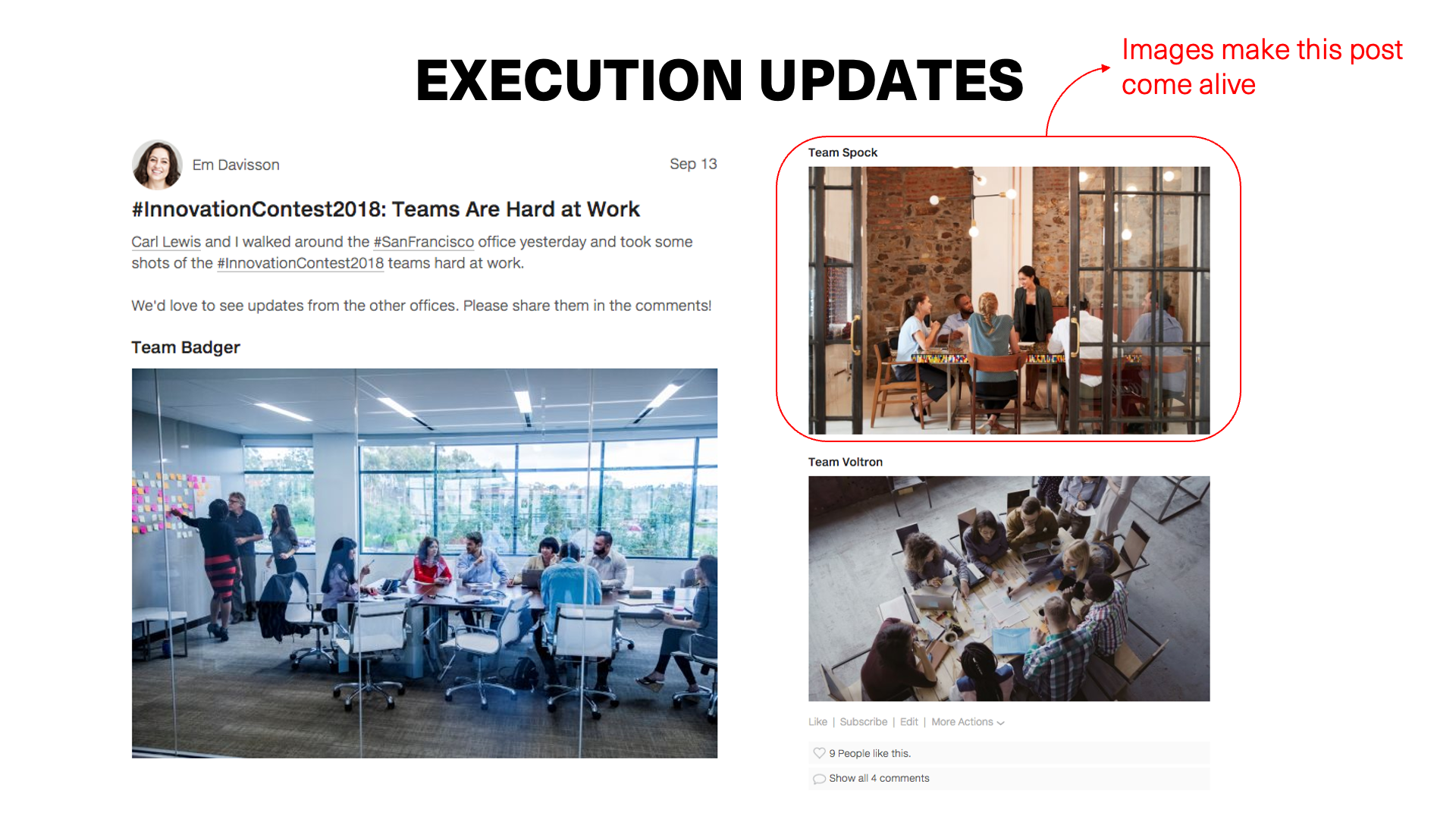
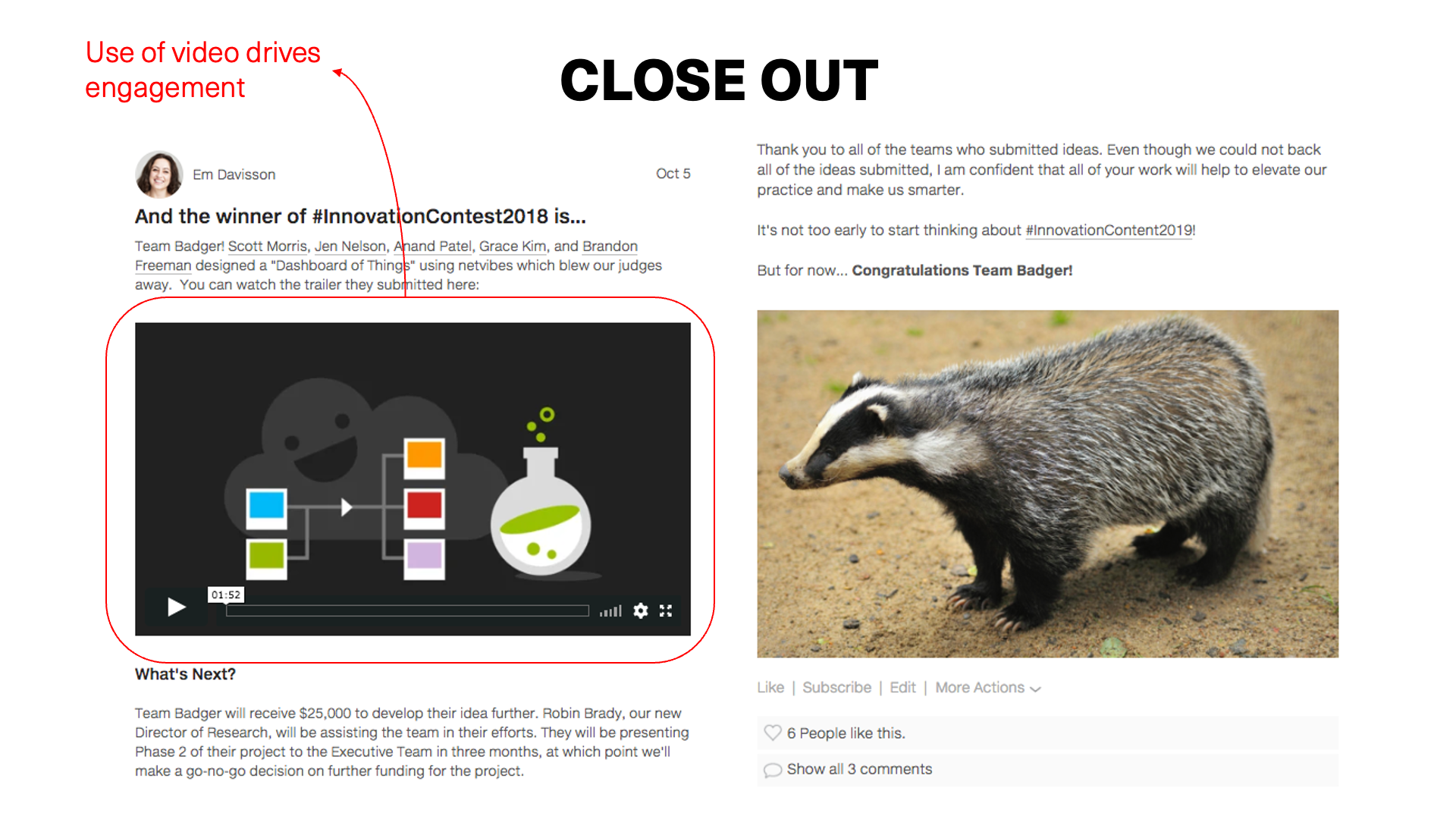
Internal Communications for Practice Area, Department, and Firmwide Initiative Leaders
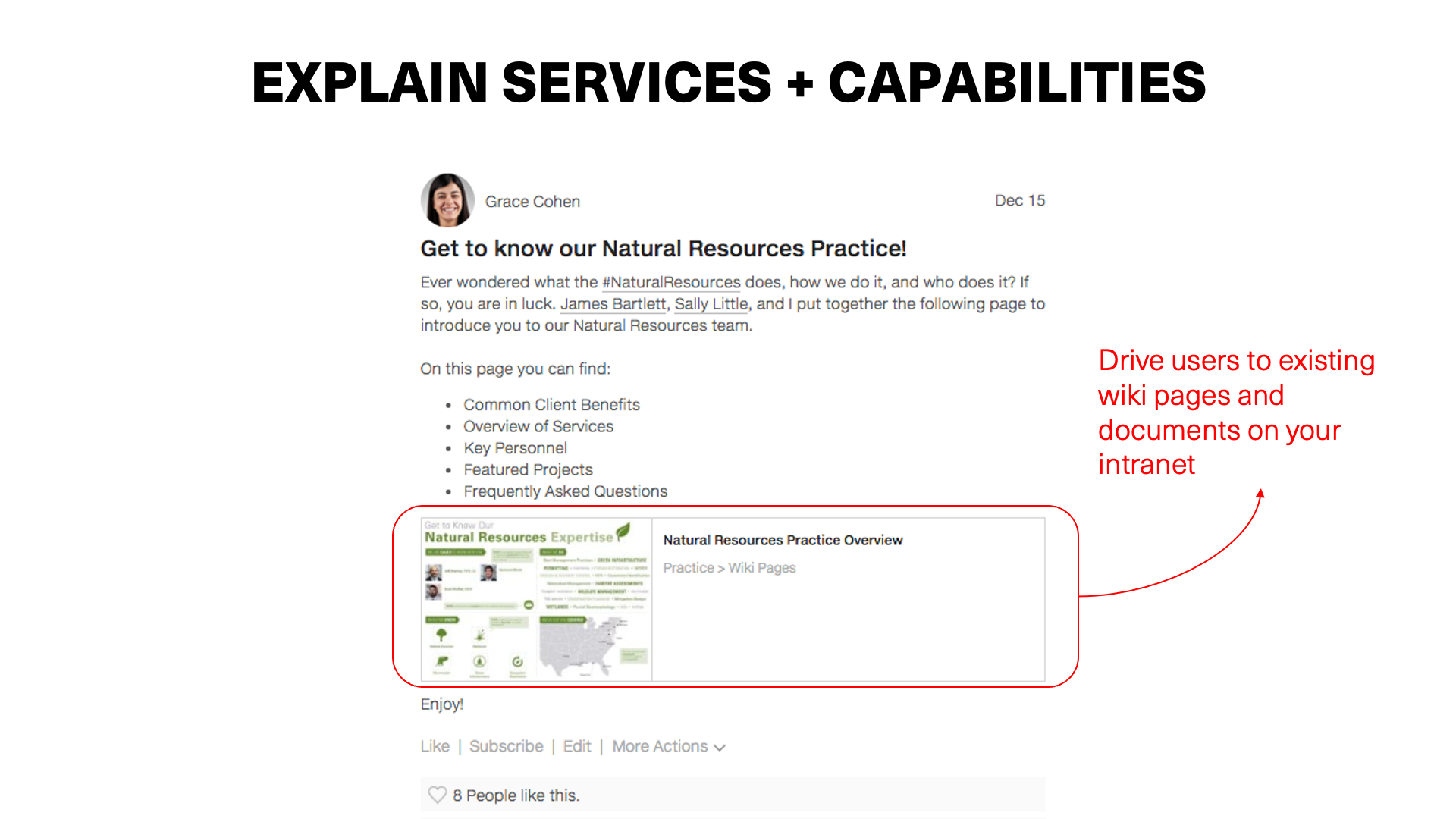
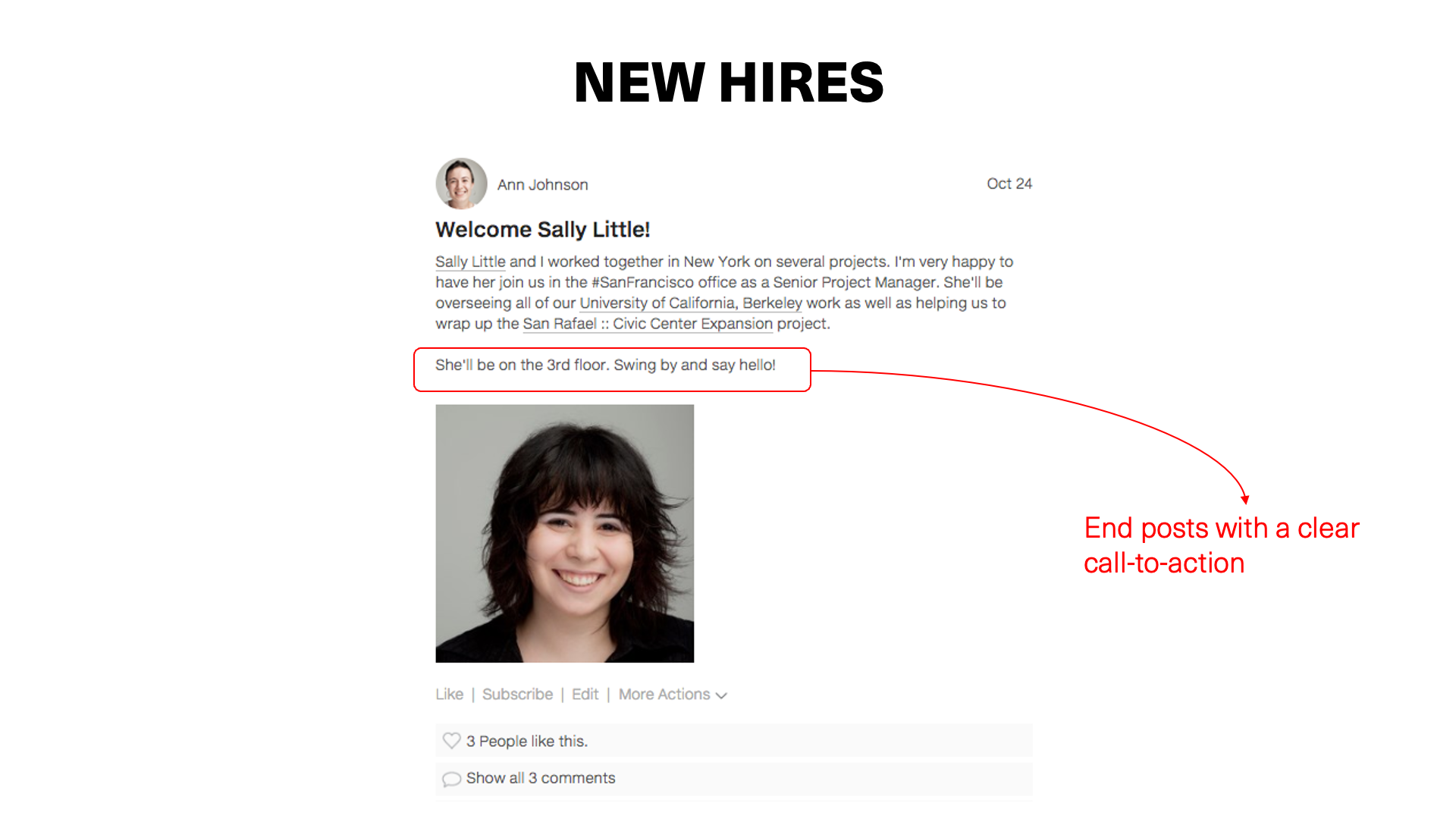
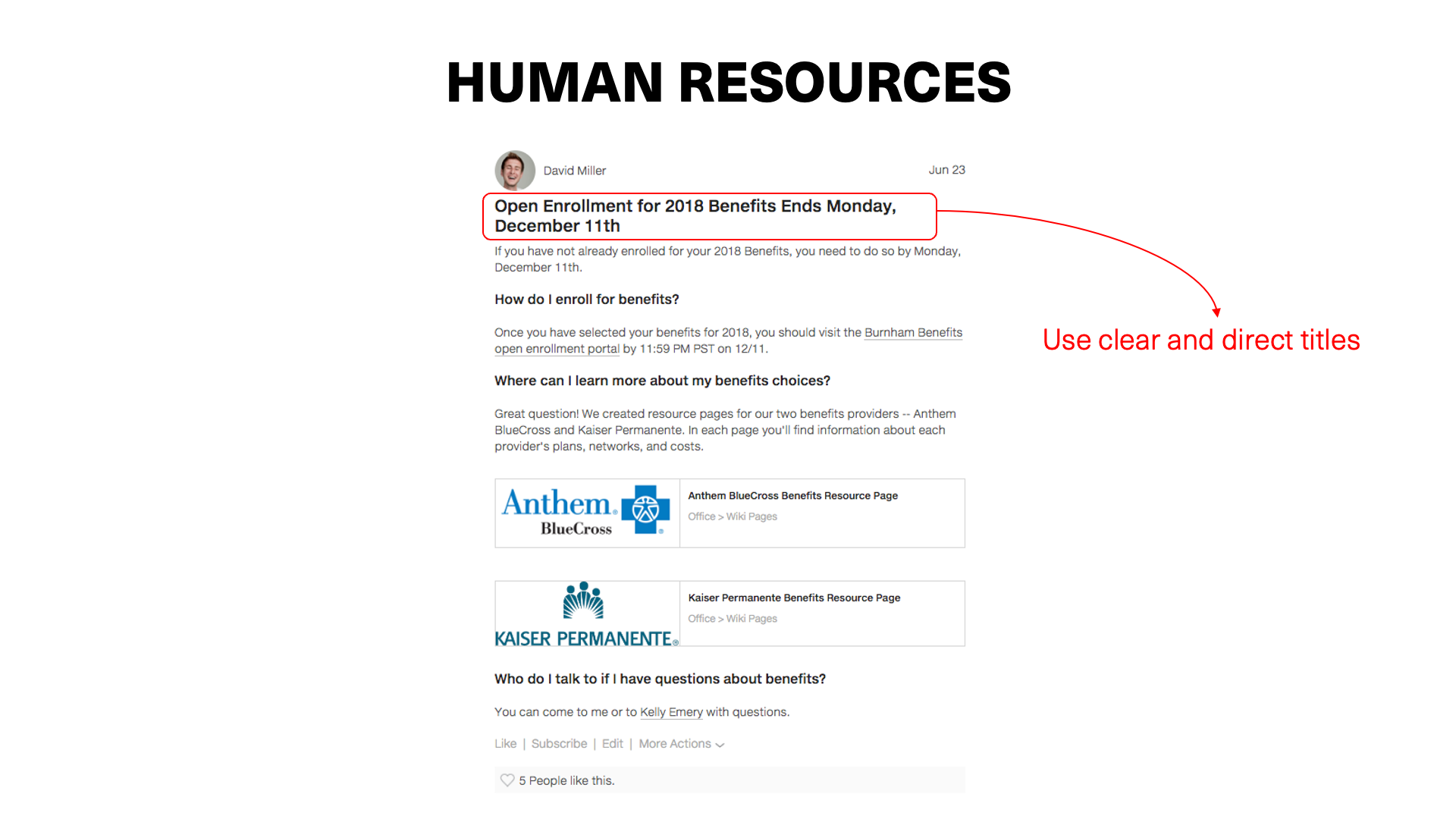
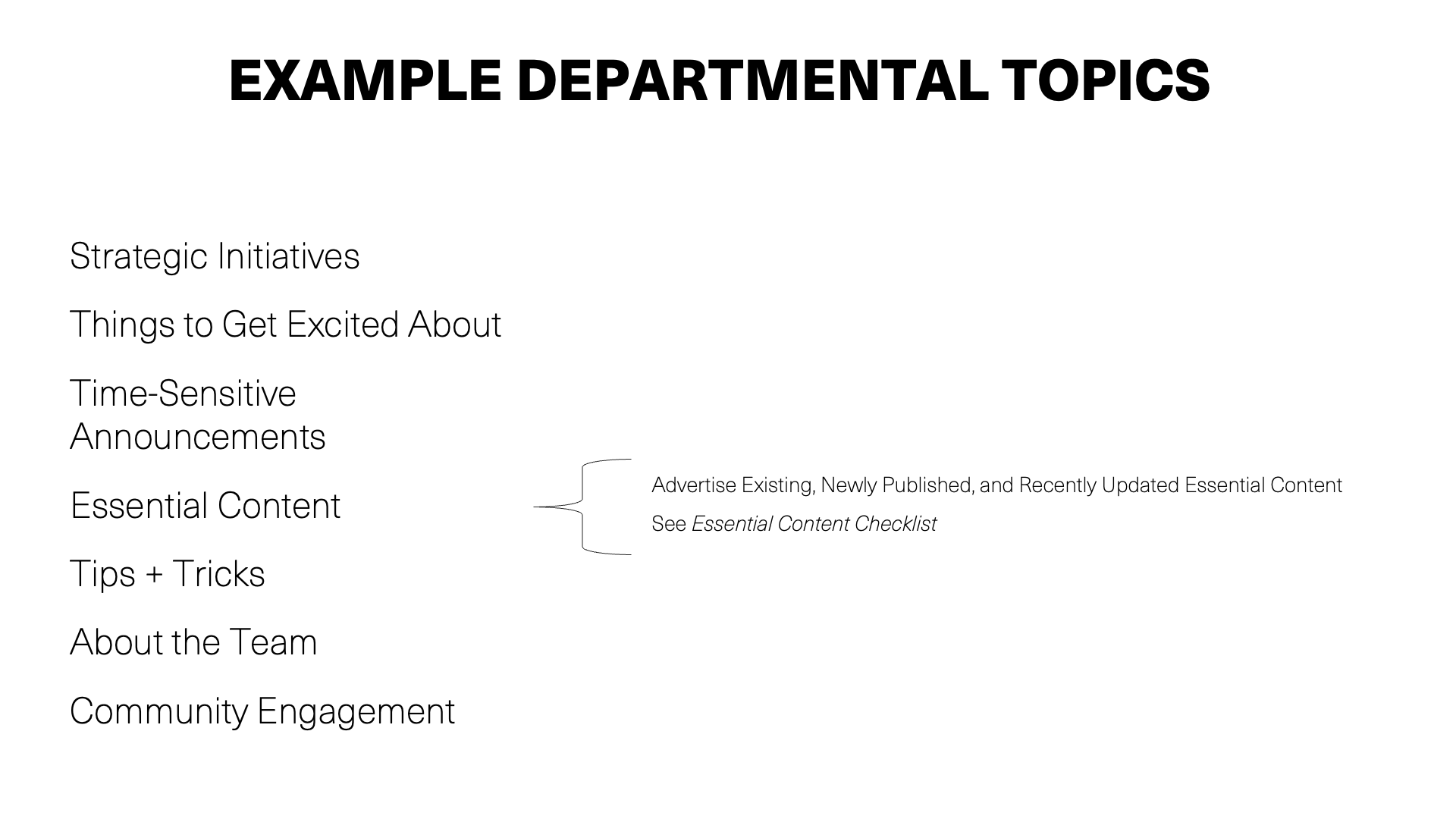
Is improving internal communications by practice area, department, and/or firmwide initiative leaders a priority for your AEC firm? Great! This page is for you.
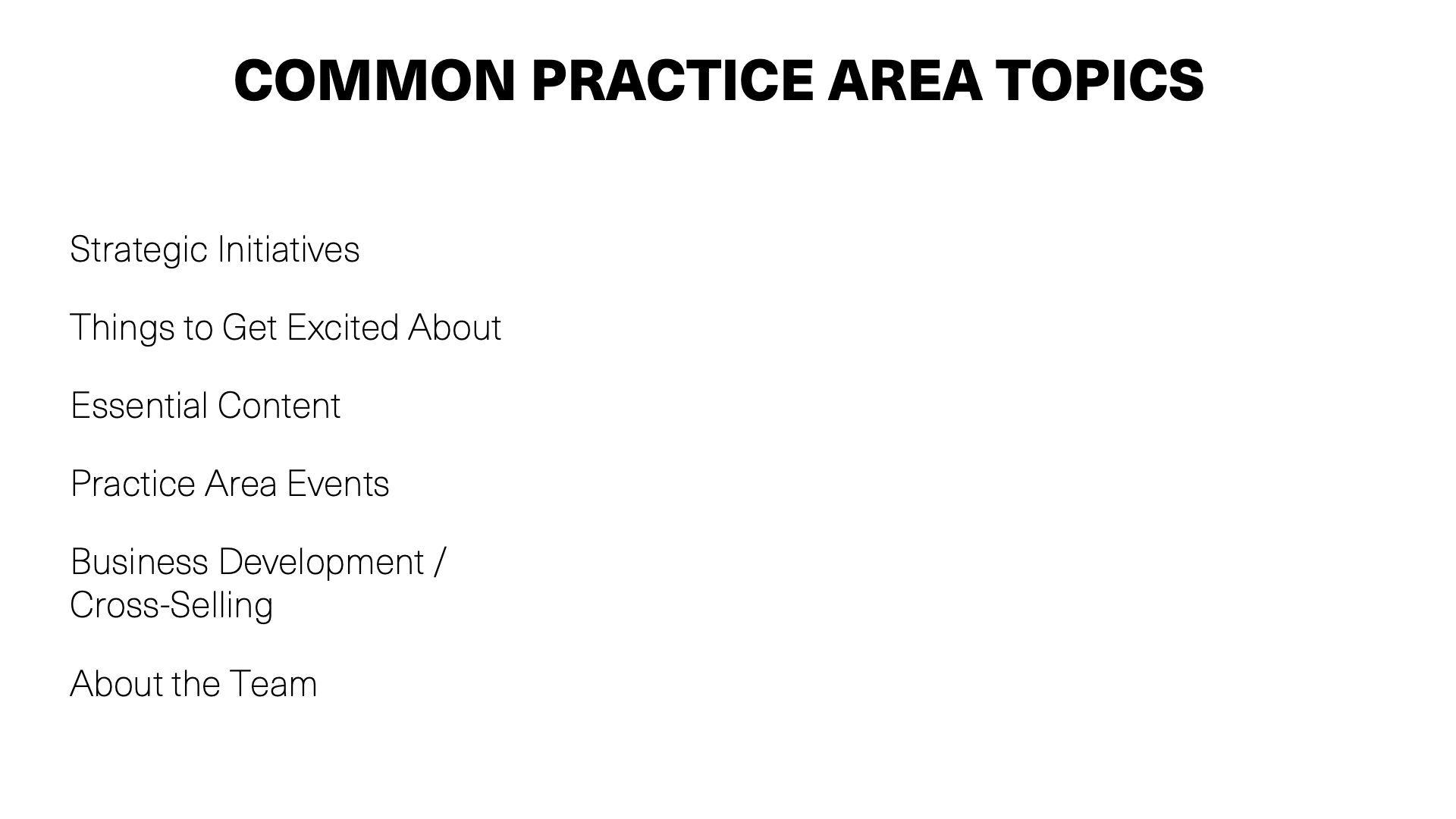
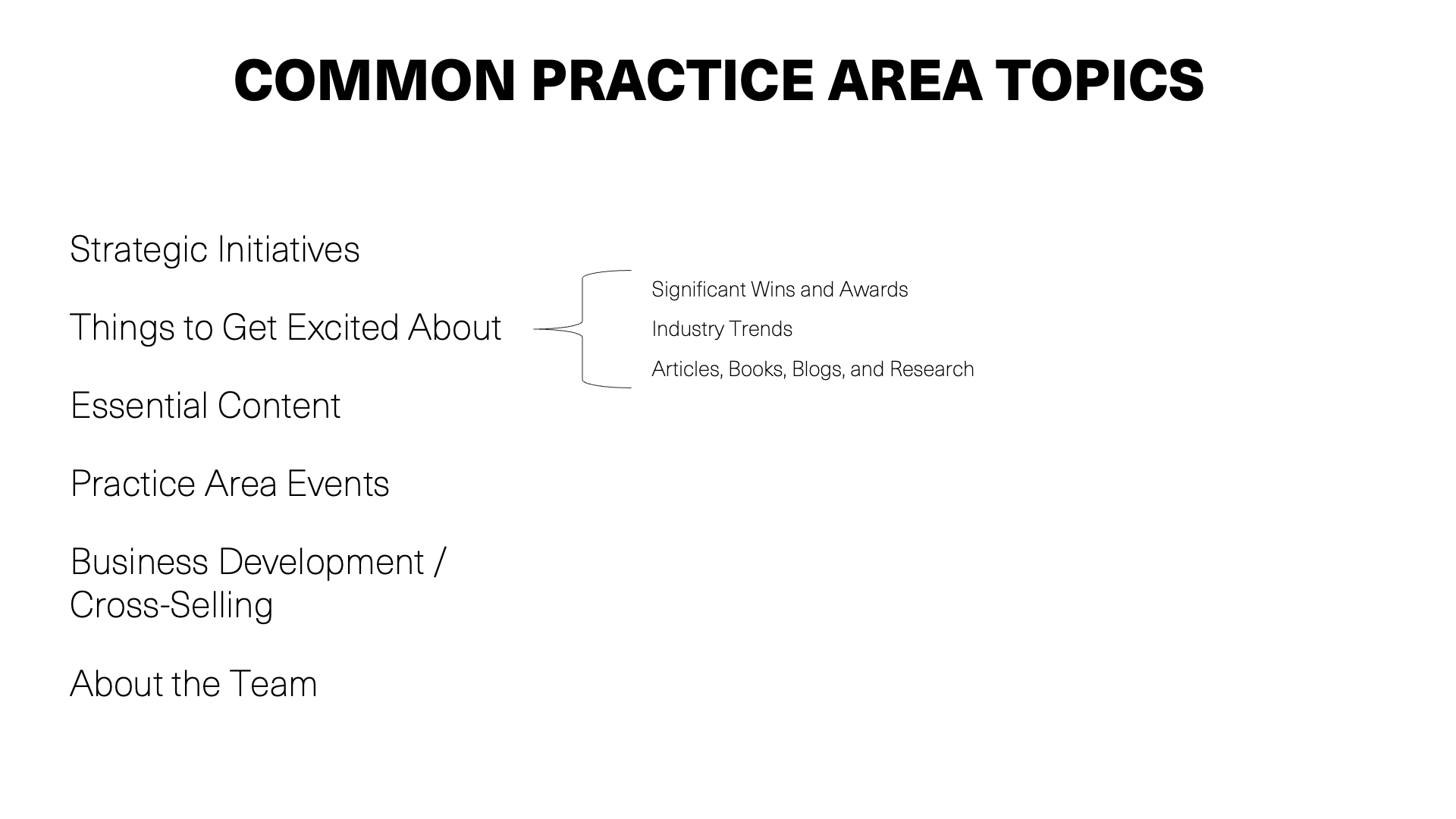
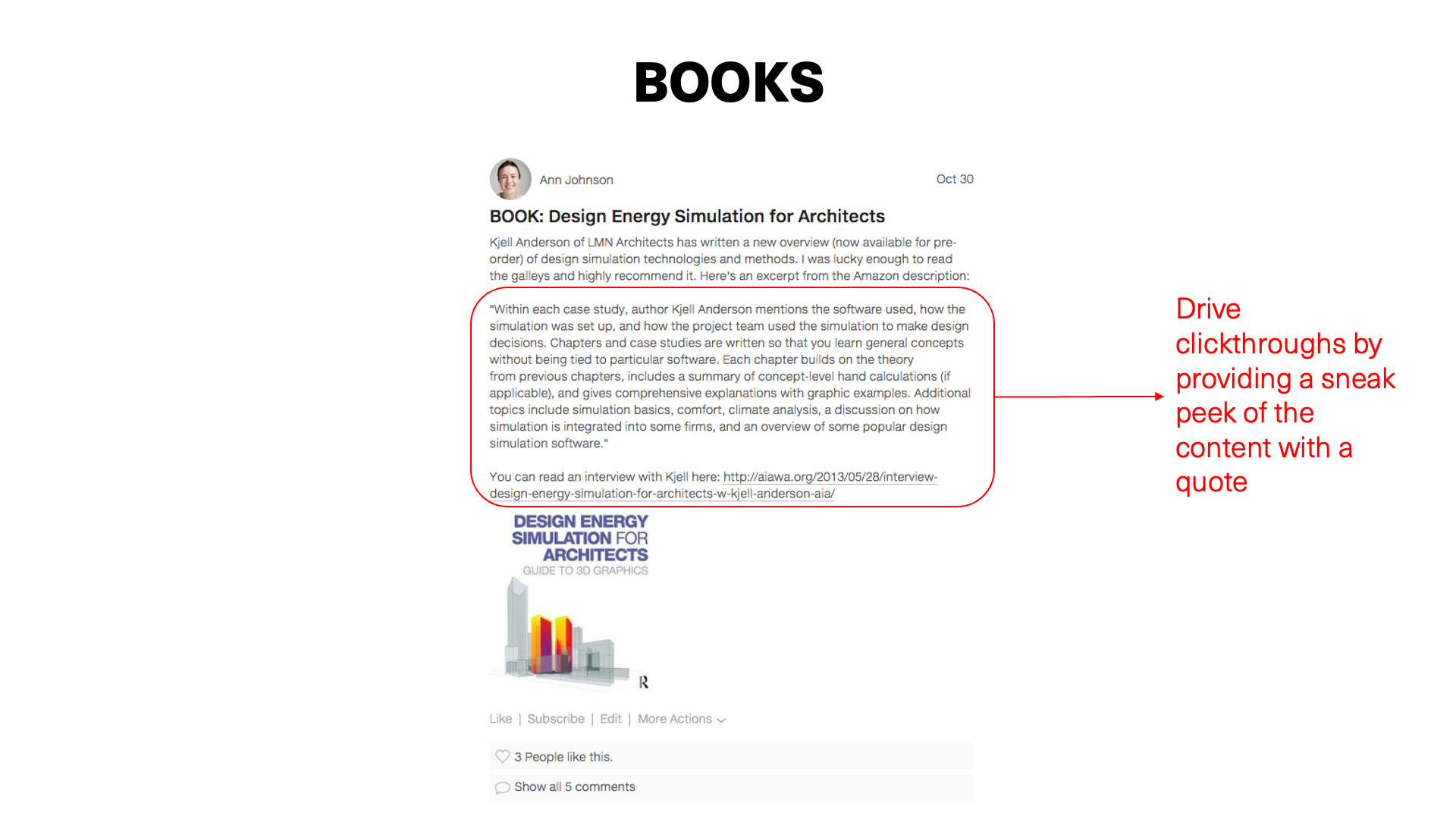
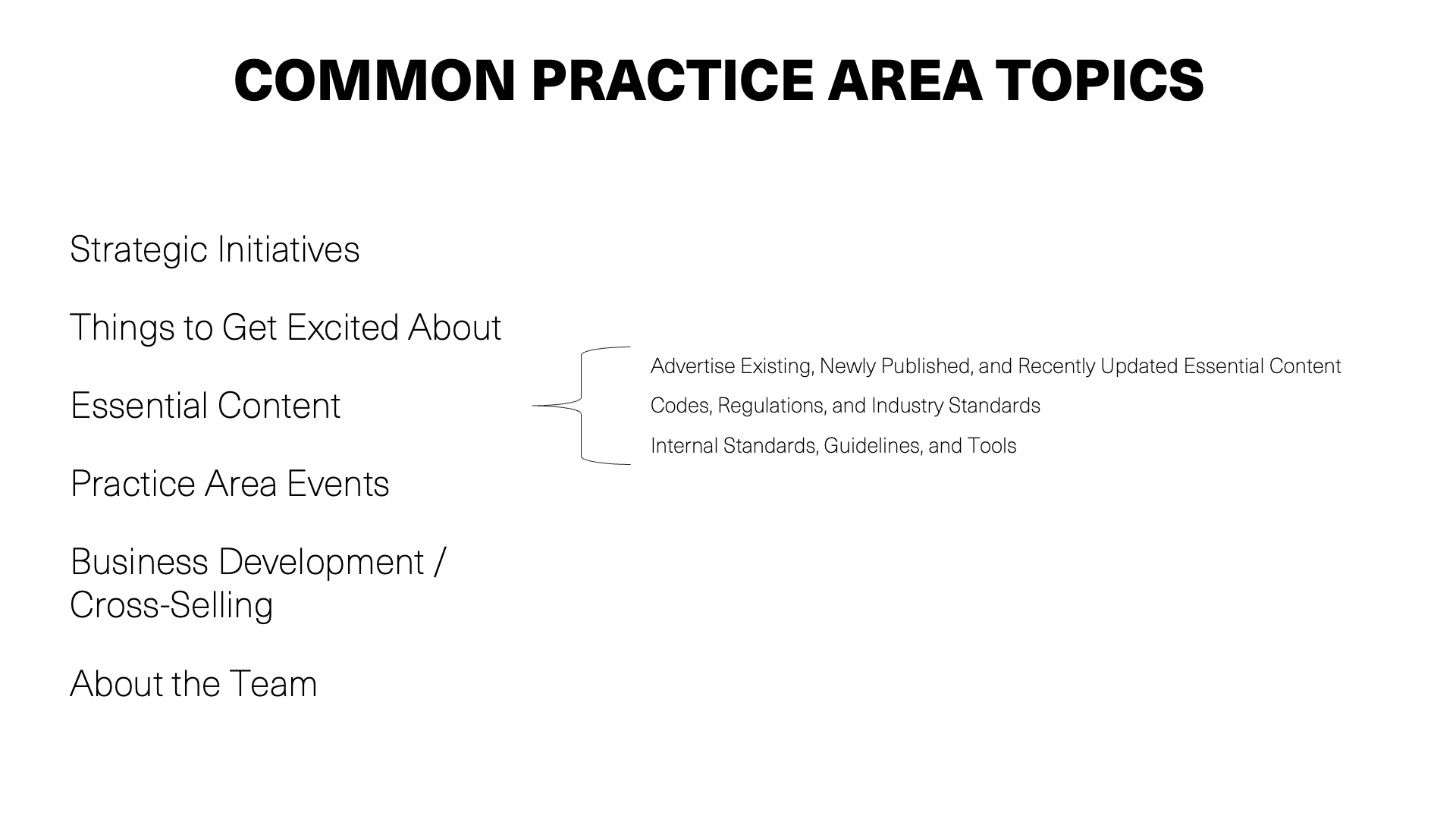
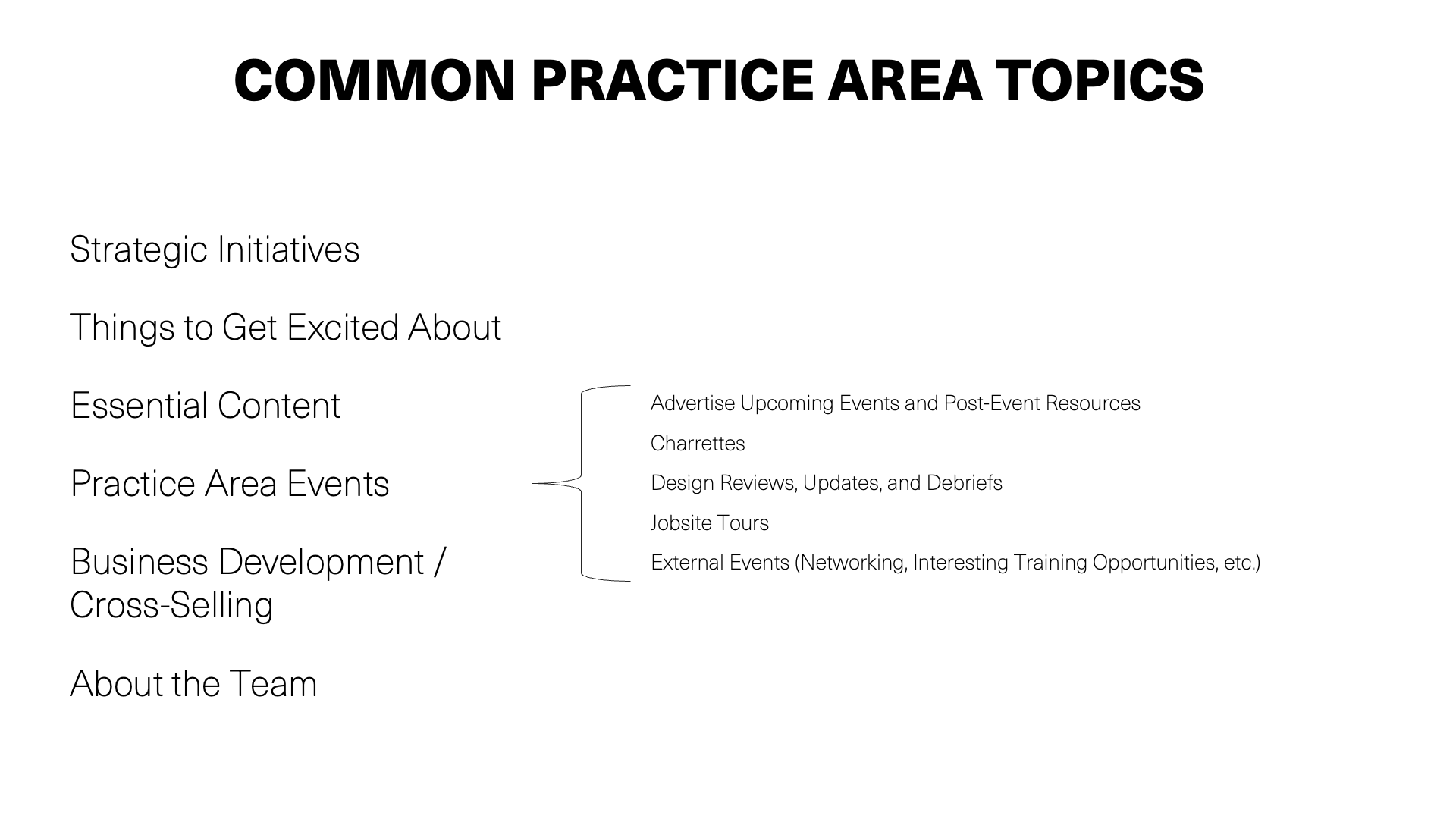
Our clients told us that firm leaders would like some examples to help visualize the art of the possible. We answered this call by researching three questions:
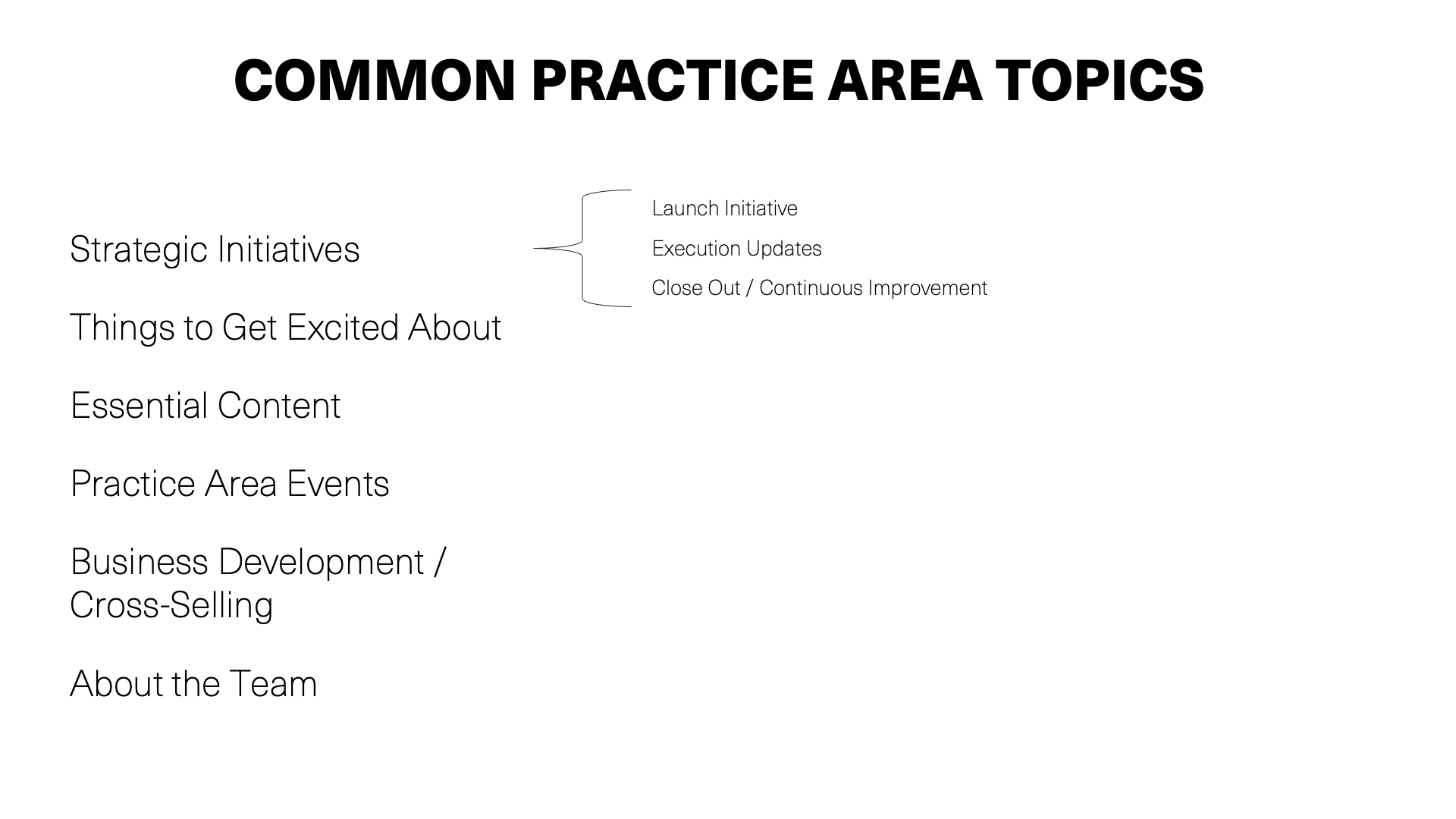
What are leaders posting about?
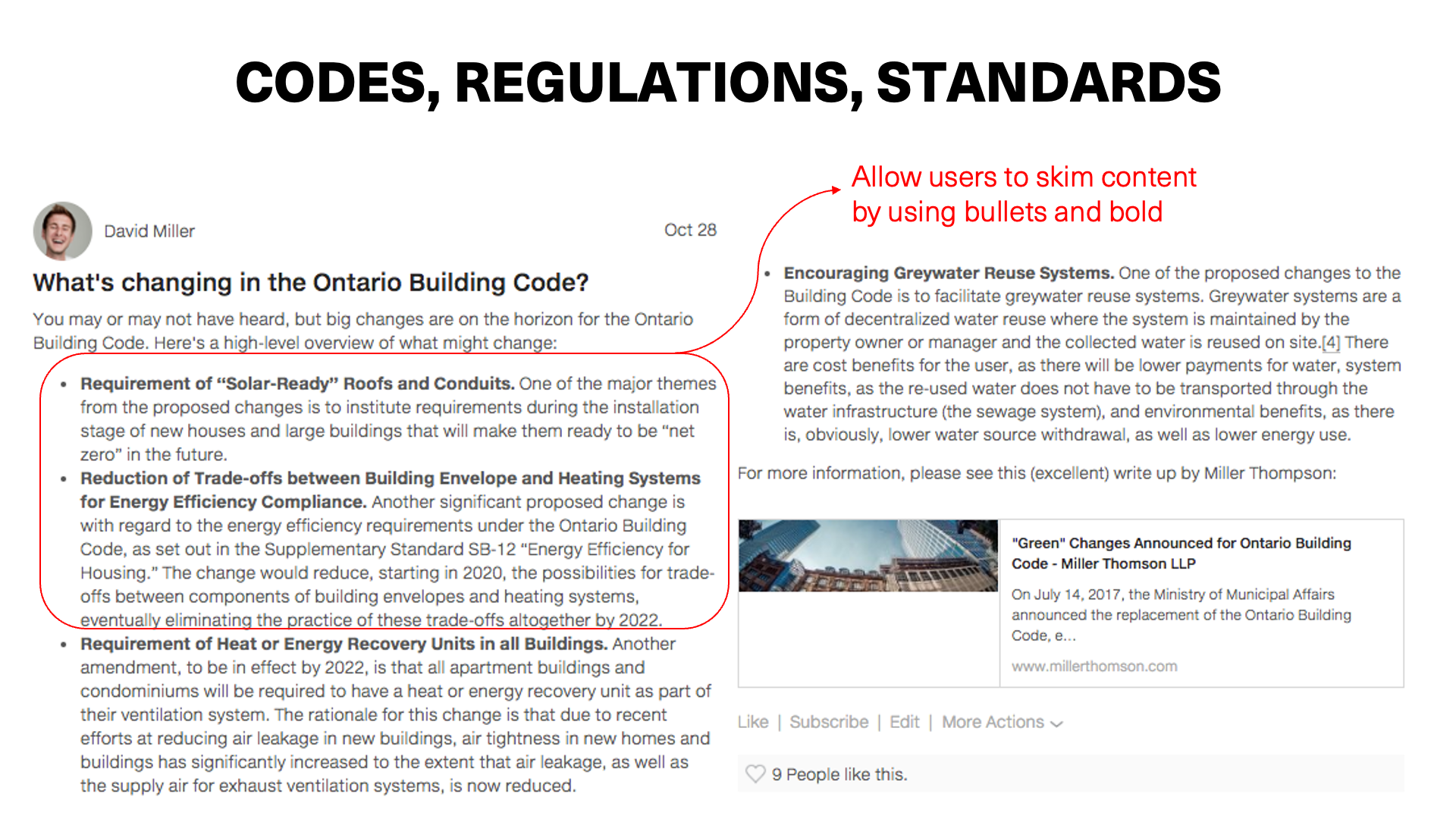
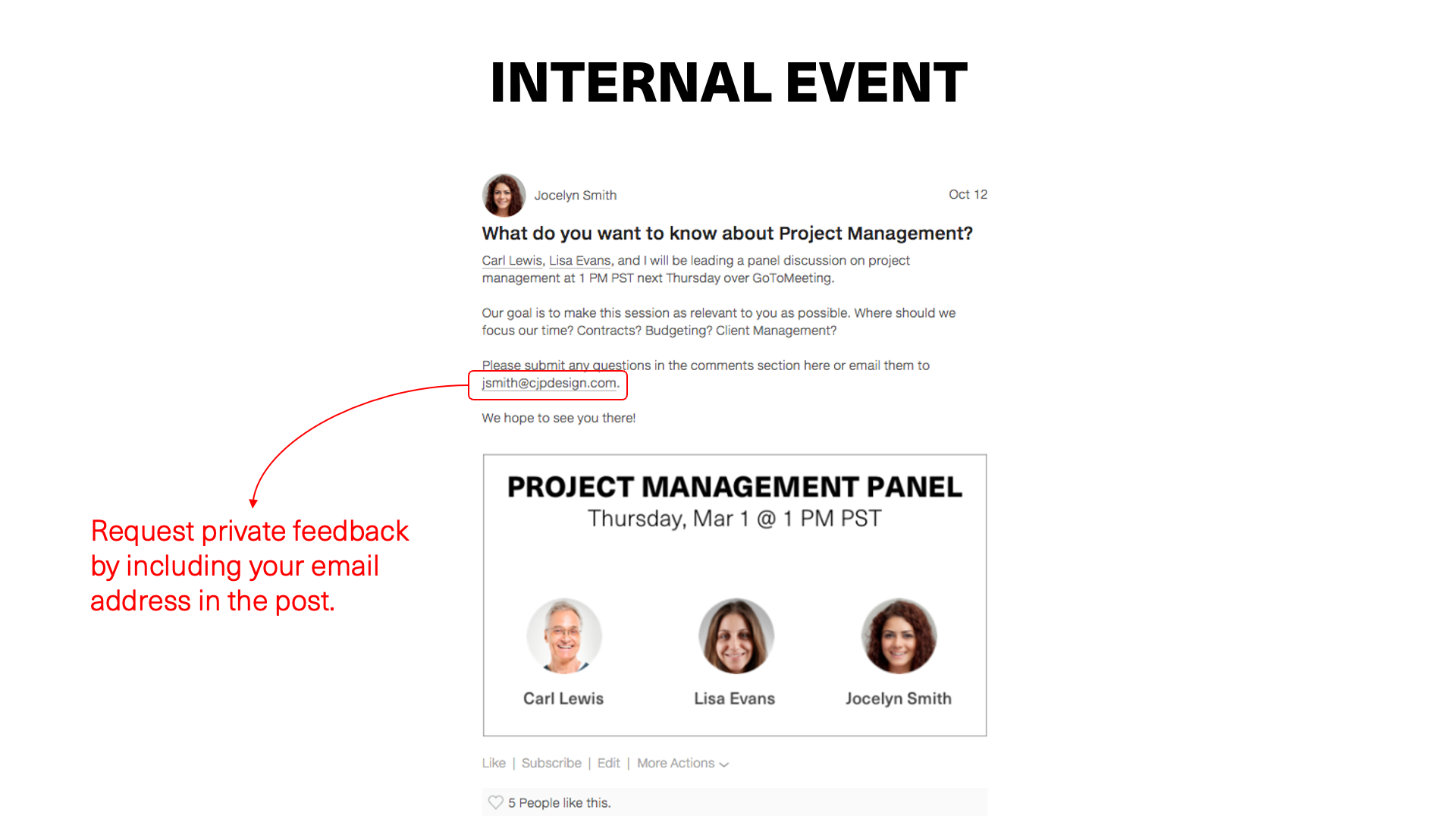
What are some best-in-class post examples?
What makes these posts so great?
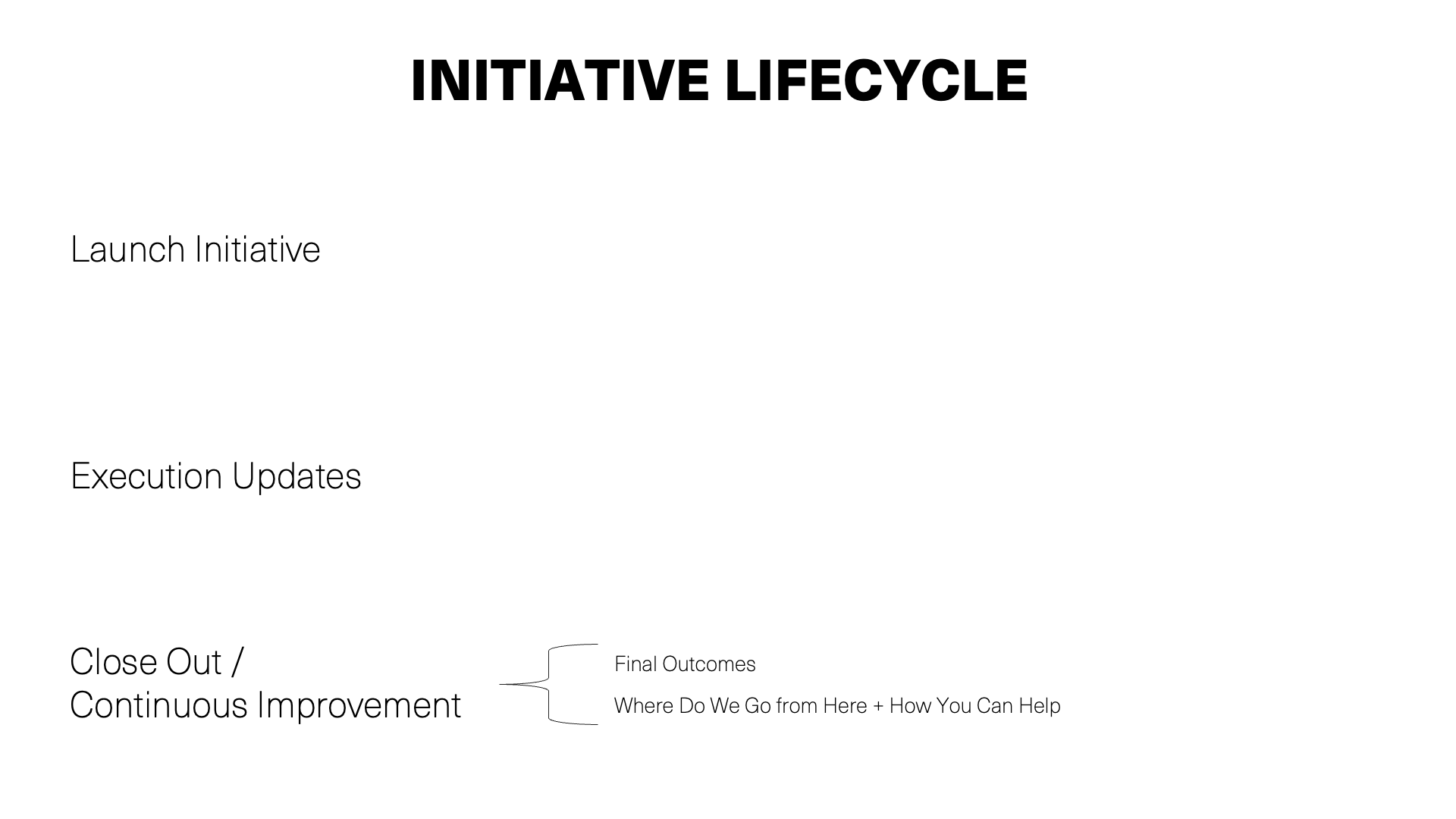
Our research culminated in the creation of three slide decks. Each slide deck targets a specific type of leader (practice area, department, or firmwide initiative), and shares common topics, along with example posts and tips for creating great posts. You can find each slide deck below.
Practice Leaders










Department Leaders




Initiative Leaders




Want to learn more?
Of course, there is a lot more to supporting internal communications than sharing a few examples. In fact, our Client Success team has devised an entire playbook that shares best practices that have worked at other AEC firms. If you are not already partnering with your Client Success Manager on your internal communications efforts, we encourage you to reach out by emailing support@knowledge-architecture.com.

Synthesis Spotlight: Cross-Office Communication @ Shive-Hattery
Featured Guests
Amy Anderson, Marketing Information Coordinator
Webinar Summary
In 2017, Shive-Hattery’s employee survey turned up an actionable insight: Employees were beginning to feel disconnected from their colleagues due to geographical barriers. Firm leadership saw an opportunity to use Shive-Hattery’s intranet, SHare, to reconnect the offices and help fulfill the firm’s One Firm Vision.
Today, all seven offices are sharing news and announcements on SHare, and 30-60% of employees read 1+ office news post weekly.
In this recorded webinar, you’ll learn how Shive-Hattery:
Created a shared vision for change
Supported change agents with analytics
Incorporated change into firm culture
If you only have a few minutes, we recommend jumping to two highlights: Example Posts that Demonstrate a Range of Office Cultures (6:22) and Communicate the Vision for Buy-In (19:53).
Featured Guests
Amy Anderson, Marketing Information Coordinator
Webinar Summary
In 2017, Shive-Hattery’s employee survey turned up an actionable insight: Employees were beginning to feel disconnected from their colleagues due to geographical barriers. Firm leadership saw an opportunity to use Shive-Hattery’s intranet, SHare, to reconnect the offices and help fulfill the firm’s One Firm Vision.
Today, all seven offices are sharing news and announcements on SHare, and 30-60% of employees read 1+ office news post weekly.
In this recorded webinar, you’ll learn how Shive-Hattery:
Created a shared vision for change
Supported change agents with analytics
Incorporated change into firm culture
If you only have a few minutes, we recommend jumping to two highlights: Example Posts that Demonstrate a Range of Office Cultures (6:22) and Communicate the Vision for Buy-In (19:53).
Webinar Timeline
Announcements
01:20 KA Connect 2019: Elevating the Employee Experience
02:06 Announcing our Keynote Speakers
03:20 Knowledge Week
Introductions
05:04 Amy Anderson
06:00 Shive-Hattery
Cross-Office Communications @ Shive-Hattery
06:22 Example Posts that Demonstrate a Range of Office Cultures
09:55 Using the Employee Engagement Survey to Set Business Priorities
10:30 Identifying Areas for Improvement
Leading/Working Through Change
12:20 Kotter’s 8 Step Model
12:44 STEP 1: Create a Sense of Urgency
13:50 STEP 2: Create a Guiding Coalition
15:25 ...Getting Buy-in, Tying It to Business Value
16:54 ...Establishing Metrics
17:20 STEP 3: Develop a Change Vision
17:37 ...Post Examples (Introductions, Involvement, Kudos)
19:15 ...Hashtag Examples and Additions
19:53 STEP 4: Communicate the Vision for Buy-In
20:09 ...Overview of Responsibilities
21:12 ...Content Standards
22:36 ...Metrics
24:15 STEP 5: Empower Broad-Based Action
24:55 STEP 6: Generate Short Term Wins
25:40 ...Using Post Analytics to Evaluate Metrics
26:18 ...Sharing Post Analytics Results
27:00 Q: Did you have to prod people or did it happen naturally?
27:52 STEP 7: Never Let Up
29:26 ...Why the Initiative was Successful: Ownership, Recognition, Social Momentum
31:17 TEP 8: Incorporate Change into Culture (Communication Protocol)
What’s Next
32:10 Focus on Exciting Project Updates & Firm Initiative/Leadership Updates
33:00 Increase the Culture of Support and Recognition
34:40 Q: Will you continue to distribute the monthly metrics spreadsheet?
Q&A
36:00 Creating a Shared Vision: Did it really happen in just one 30 minute meeting?
37:45 What would you do differently next time?
38:57 Was there a concern that the platform would be overwhelmed with social content?
41:07 What did you enjoy most about this process?
About Office Hours
Office Hours is 60 minutes of news, stories, and Q+A with Susan, Sarah, Chris, Zucu, and special guests from the KA Advance community. You can watch recordings of past Office Hours webinars here.
More Office Hours Webinars
Register for our next Office Hours Webinar
What's the relationship between knowledge management and marketing?

Our own Founder and CEO, Christopher Parsons, was featured on Episode 119 of the PSM Show podcast this week. The topic of the podcast was the relationship between knowledge management and marketing in professional services.
Key Discussion Points
- Why should marketers care about knowledge management (KM)?
- Are marketers good candidates to lead KM in their firms?
- Examples of firms effectively integrating KM with marketing
- Tips to persuade the C-Suite to adopt KM
- What is Synthesis and how does it help facilitate KM
- Why are you a fan of event marketing?
- Which marketing initiatives have been effective for your firm?
It was a great discussion and we hope you find a chance to listen to it.

Synthesis Spotlight: Improving Project Management @ CTA Architects Engineers
Featured Guests
Fran Quiram, Project Manager + Architect, CTA Architects Engineers
Webinar Summary
CTA's board set a BHAG (Big Hairy Audacious Goal) to increase the efficacy of their project management function. Fran and her fellow committee members took this challenge on, and the results have exceeded board expectations.
In this webinar, you'll learn how CTA got from BHAG to results by:
Creating a process for continuous improvement of project management tools
Defining project manager roles and responsibilities
Utilizing Synthesis to help project managers across 14 office learn and grow
If you only have a few minutes, we recommend jumping to two highlights: Accountability + Creating Alignment at (7:05) and Gather, CTA's PM Community on the Intranet, at (16:30).
Featured Guests
Fran Quiram, Project Manager + Architect, CTA Architects Engineers
Webinar Summary
CTA's board set a BHAG (Big Hairy Audacious Goal) to increase the efficacy of their project management function. Fran and her fellow committee members took this challenge on, and the results have exceeded board expectations.
In this webinar, you'll learn how CTA got from BHAG to results by:
Creating a process for continuous improvement of project management tools
Defining project manager roles and responsibilities
Utilizing Synthesis to help project managers across 14 office learn and grow
If you only have a few minutes, we recommend jumping to two highlights: Accountability + Creating Alignment at (7:05) and Gather, CTA's PM Community on the Intranet, at (16:30).
Webinar Timeline
01:20 Update on KA Connect 2018 Talks
01:50 Synthesis Workshop Registration
02:30 Introduction: Fran Quiram @ CTA
03:40 Brief History of Project Management at CTA
04:55 The BHAG that Started It All
05:38 Support - The Importance of Executive Sponsorship and Best Practices
06:00 Energy - Building the Team and Identifying Improvements
07:05 Accountability - Creating Alignment
08:55 … Project Manager Scorecard
10:45 … What problem was CTA trying to solve by reducing the number of project managers?
12:05 Repetition - Monthly Project Manager Training
13:10 … How do you prioritize training topics?
14:15 … How do you select trainers? Do you bring in outside trainers?
16:30 Gather - The PM Community on the Intranet
17:50 … PM Roadmap Resources
19:13 … Onboarding New Project Managers
20:10 … What technology do you use to conduct monthly trainings?
21:35 Continuity - Continuous Improvement
22:50 How Is It Working?
22:50 … New Project Manager Request Process
25:00 … Folder Structure Improvements
26:50 Results
26:50 … Resource Adoption
27:50 … How did you build engagement, traction, and get Project Managers accustomed to using these new resources?
30:05 … Reporting to Our Board
32:21 6 Steps to Rebuilding the Culture
35:00 What is it about this project that excites you?
36:00 Did it create confusion for clients if their primary contact isn’t a Project Manager?
37:40 How were conversations managed for the 100+ people who would no longer be Project Managers?
39:05 Did CTA re-engineer your career path because of these changes?
40:00 How do you collect the data for the scorecard?
42:20 Did you have a culture of metrics and goals before the BHAG exercise?
43:15 Do the BHAG committee members have an expected amount of time to participate? Is there a plan to change members overtime?
44:00 Have revenue & profitability increased since implementing the program
45:00 Are there any incentives for PMs to participate in the program?
46:00 What has been the most rewarding part of this process for you personally?
47:37 What's next?
49:33 How long did it take for everyone to adopt Deltek Vision Resource Planning?
50:40 What have you learned through this process about Project Manager and how has this made you a better Project Manager?
About Office Hours
Office Hours is 60 minutes of news, stories, and Q+A with Susan, Chris, Zucu, and special guests from the KA Advance community. You can watch recordings of past Office Hours webinars here.
More Office Hours Webinars
Register for our next Office Hours Webinar

Synthesis Spotlight: Behind the Scenes of DOWL's Operational Excellence Initiative
Featured Guests
Rachel Steer, Chief Administrative Officer, DOWL
Kristin Folmar, Quality Manager, DOWL
Webinar Summary
In 2016, DOWL launched an Operational Excellence (OpEx) program designed to improve project management, enhance client experience, and establish accountability across their 24 offices. DOWL leveraged their Synthesis intranet, The Point, to engage employees across the business in this critical initiative.
In this webinar, you'll learn how DOWL:
Established The Point as the center for content, communications, resources, and training related to OpEx
Developed a user-friendly home for OpEx which includes a graphical landing page linking to key OpEx resources, an OpEx FAQ, and introductory videos
Supported the launch of the OpEx initiative through a series of posts by key executives and project stakeholders
Continued the dialog through posts about new and updated OpEx resources, early wins, and #OpExStories
If you only have a few minutes, we recommend jumping to two highlights: Origin Story of the Operational Excellence (OpEx) Initiative (6:00) and Intranet Tour: The OpEx Community (16:34).
Featured Guests
Rachel Steer, Chief Administrative Officer, DOWL
Kristin Folmar, Quality Manager, DOWL
Webinar Summary
In 2016, DOWL launched an Operational Excellence (OpEx) program designed to improve project management, enhance client experience, and establish accountability across their 24 offices. DOWL leveraged their Synthesis intranet, The Point, to engage employees across the business in this critical initiative.
In this webinar, you'll learn how DOWL:
Established The Point as the center for content, communications, resources, and training related to OpEx
Developed a user-friendly home for OpEx which includes a graphical landing page linking to key OpEx resources, an OpEx FAQ, and introductory videos
Supported the launch of the OpEx initiative through a series of posts by key executives and project stakeholders
Continued the dialog through posts about new and updated OpEx resources, early wins, and #OpExStories
If you only have a few minutes, we recommend jumping to two highlights: Origin Story of the Operational Excellence (OpEx) Initiative (6:00) and Intranet Tour: The OpEx Community (16:34).
Webinar Timeline
01:20 KA Connect 2018 & Synthesis Workshop San Francisco Registration
03:25 Introduction: Rachel Steer & Kristin Folmar @DOWL
04:45 DOWL Background
06:00 Origin Story of the Operational Excellence (OpEx) Initiative
08:18 DOWL’s Five Year Plan
09:10 Leveraging their Synthesis intranet, The Point, to roll out OpEx Initiative
10:15 Implementing OpEx Initiative - Who is on the OpEx team?
10:50 What is OpEx?
12:26 OpEx Timeline & Phases
15:00 Launching OpEx
16:34 Intranet Tour: The OpEx Community
19:42 How is OpEx content used by employees on The Point?
22:32 #OpExStories Campaign: Sharing Wins and Lessons Learned on The Point
26:52 Current OpEx Priorities
29:29 Lessons Learned
31:45 Have we been successful?
33:10 How did you decide which content in the OpEx community would be considered Essential Content?
35:26 Were there bumps in the road while implementing OpEx - specific to senior leadership - and how did you overcome those challenges?
38:54 What is the OpEx audit process and what kind of information do you receive?
40:56 Do you fill out all forms/checklists electronically, or do you use hard copies for OpEx documentation?
43:15 What is your favorite part about leading the OpEx initiative?
About Office Hours
Office Hours is 60 minutes of news, stories, and Q+A with Susan, Chris, Zucu, and special guests from the KA Advance community. You can watch recordings of past Office Hours webinars here.
More Office Hours Webinars
Register for our next Office Hours Webinar

Launching Synthesis @ RS&H
Featured Guests
Jennifer Stutts, VP of Communications, Marketing & Strategy
Krystal Modigell, Marketing Communications Specialist
Webinar Summary
A couple years ago, RS&H was faced with a communications and information access problem.
Many of their 800 employees were struggling to find the information they needed to be effective and to understand what was happening across the business. At the same time, RS&H was preparing to onboard 200 – 300 employees. The management team knew they needed better infrastructure to support their growing workforce.
Today, they are meeting these fundamental business needs for 1,100 employees with Blaze, their Synthesis Intranet.
In this webinar, you’ll learn how RS&H:
- Introduced Blaze as the go-to place for “all RS&H” news and dialog
- Kept employee’s user experience at the center of their design
- Used SMART goals to maintain alignment with stakeholders
If you only have a few minutes, we recommend jumping to two highlights: RS&H’s Knowledge Management Objectives (8:50) and Best Practice 2: Focus on the User (18:40).
Featured Guests
Jennifer Stutts, VP of Communications, Marketing & Strategy
Krystal Modigell, Marketing Communications Specialist
Webinar Summary
A couple years ago, RS&H was faced with a communications and information access problem.
Many of their 800 employees were struggling to find the information they needed to be effective and to understand what was happening across the business. At the same time, RS&H was preparing to onboard 200 – 300 employees. The management team knew they needed better infrastructure to support their growing workforce.
Today, they are meeting these fundamental business needs for 1,100 employees with Blaze, their Synthesis Intranet.
In this webinar, you’ll learn how RS&H:
- Introduced Blaze as the go-to place for “all RS&H” news and dialog
- Kept employee’s user experience at the center of their design
- Used SMART goals to maintain alignment with stakeholders
If you only have a few minutes, we recommend jumping to two highlights: RS&H’s Knowledge Management Objectives (8:50) and Best Practice 2: Focus on the User (18:40).
Webinar Timeline
01:15 Office Hours Recording: Online & Offline Learning at Payette
02:20 KA Connect 2018 & Synthesis Workshop San Francisco Registration
05:45 Launching Synthesis @RS&H
06:35 Company Background
08:50 RS&H’s Knowledge Management Objectives
11:15 Best Practice 1: Build the Foundation
11:15 …Understanding User Needs
14:30 …Top Priorities
17:05 …Success Metrics
18:40 Best Practice 2: Focus on the User
19:00 …Developing a Taxonomy and Navigation
20:30 …Organization Lessons from RS&H’s Old Intranet
21:30 …Final Taxonomy and Navigation
24:40 Best Practice 3: Enable the Team
25:45 …Implementation Team
27:10 …Did the team change after go live?
28:15 …Blaze 101
32:05 …What is the difference between a community manager and a content editor? And what are their roles in the firm?
36:00 …Content Addition & Change Protocol
38:05 …Engaging Early Adopters
40:50 Best Practice 4: Have fun!
41:30 …Naming the Intranet
42:50 …Launch Campaign
44:30 …How long was the welcome video?
45:00 …#LaunchWeekChallenge
46:30 Were we successful?
46:48 …Early Success
48:00 …Success Metrics Achieved
49:30 What did you learn, and what changes did you make, based on early adopter feedback?
50:40 Implementation Schedule
51:20 How did you choose which projects to include on the intranet at launch?
51:55 What does “decision making simplicity” mean?
About Office Hours
Office Hours is 60 minutes of news, stories, and Q+A with Susan, Chris, Zucu, and special guests from the KA Advance community. You can watch recordings of past Office Hours webinars here.
More Office Hours Webinars
Register for our next Office Hours Webinar

Synthesis Spotlight: Online + Offline Learning @ Payette
Featured Guests
Hilary Barlow, Architect and Community Manager at Payette
Webinar Summary
Payette is a design firm that specializes in the healthcare, health science, and academic science markets. Maintaining a competitive advantage in rapidly changing markets means that the Payette team must prioritize continuous learning and development. To maintain a competitive edge, team members must engage in a lot of continuous learning.
In her role as Community Manager for Payette’s Big Science Group, Hilary Barlow has answered a difficult question: What does learning look like for highly skilled professionals, many of whom are already experts in their field?
In this webinar, you’ll learn how Hilary:
- Identifies hot topics and good teachers
- Convenes the Big Science community
- Captures key learnings on Synthesis
- Engages community members in the process
If you only have a few minutes, we recommend jumping to two highlights: Introduction to Payette’s Knowledge Groups (9:00) and Big Science’s Monthly Meetings (14:00).
Featured Guests
Hilary Barlow, Architect and Community Manager at Payette
Webinar Summary
Payette is a design firm that specializes in the healthcare, health science, and academic science markets. Maintaining a competitive advantage in rapidly changing markets means that the Payette team must prioritize continuous learning and development. To maintain a competitive edge, team members must engage in a lot of continuous learning.
In her role as Community Manager for Payette’s Big Science Group, Hilary Barlow has answered a difficult question: What does learning look like for highly skilled professionals, many of whom are already experts in their field?
In this webinar, you’ll learn how Hilary:
- Identifies hot topics and good teachers
- Convenes the Big Science community
- Captures key learnings on Synthesis
- Engages community members in the process
If you only have a few minutes, we recommend jumping to two highlights: Introduction to Payette’s Knowledge Groups (9:00) and Big Science’s Monthly Meetings (14:00).
Webinar Timeline
02:00 KA Connect 2018 & Synthesis Workshop San Francisco Registration
05:00 KA Advance LinkedIn Group Highlights
06:45 Online and Offline Learning @ Payette
09:00 Introduction to Payette’s Knowledge Groups
12:00 Knowledge Groups: Roles & Responsibilities
13:00 Hilary’s Background and Role
13:45 Big Science Knowledge Group
14:00 Big Science’s Monthly Meetings
19:10 Meeting Preparation
22:50 Meeting Day-of Activities
23:50 Meeting Follow Up
25:10 Example: Clean Room Design Presentation
30:05 Example: Project Tour
32:10 Engaging Members In Authoring Follow-up Posts
33:15 Do event attendees earn AIA credits?
33:50 Who does the event recording and editing? How sophisticated is the editing?
35:30 Community Management Tips
37:40 What is the benefit to having all firm events in one Synthesis calendar?
39:10 How do you identify & ask colleagues to do event write-ups?
41:30 What were your 2017 “biggest winner” events?
42:55 How is your time split between community management duties and the rest of your job?
43:45 What are the most time intensive parts of putting on an event?
44:50 How does the firm leadership support event participation while regulating the draw on billable time?
46:20 What is your average event attendance?
47:00 For the videos that you record, have you looked at the analytics to see who is watching them or how long they are watched?
47:30 What advice would you give someone who is embarking on their journey as a community manager?
49:05 What is next for Big Science’s events and knowledge asset development?
50:10 How do you onboard new community members?
50:50 Do you imagine that you’ll repeat sessions?
About Office Hours
Office Hours is 60 minutes of news, stories, and Q+A with Susan, Chris, Zucu, and special guests from the KA Advance community. You can watch recordings of past Office Hours webinars here.
More Office Hours Webinars
Register for our next Office Hours Webinar
ENR’s Cover Story: Knowledge Management in the AEC Industry

We’re excited to share that ENR’s cover story this week is a broad and interesting overview of how Knowledge Management is impacting the AEC Industry.
The article profiles several AEC firms in the KA Connect community including DLR Group, MSA Professional Services, POWER Engineers, Stantec, and Fluor as well as friends of KA Connect like APQC and Columbia University’s Information and Knowledge Strategy program.
The mission of the annual KA Connect Conference is to “Advance the Practice of Knowledge Management in the AEC Industry.” It is so great to see the AEC KM movement get the visibility it deserves and I think now is a great opportunity for us all to take a moment and reflect on all the progress we’ve made on this journey together.
Thank you to the clients, partners, friends, and employees of Knowledge Architecture who make this community possible.
Here’s to many more years of learning and growing together!

Launching Synthesis @ Fuscoe
Featured Guests
Jeff Stempson, Director of Information Technology
Brandon Norton, Senior Graphic Designer
Webinar Summary
This month’s Office Hours featured an intranet tour of Fuscoe Engineering’s Synthesis intranet, ARC. Launching a Synthesis intranet in the fall of 2016 was an important milestone in Fuscoe’s knowledge management journey. Highlights of the new intranet include:
- Analog Communities of Practice got a digital home
- Disconnected and siloed key information about employees and projects is now accessible to all employees in a single system
- Employees can now find fundamental information about how work is done at Fuscoe via a single, informative toolbox
In this webinar, Jeff and Brandon give a tour of Arc and share their insights on brand alignment and employee engagement. If you only have a few minutes, we recommend jumping to two intranet tour highlights: Engineering CADD Standards (21:40) and #AskARC (38:45).
Featured Guests
Jeff Stempson, Director of Information Technology
Brandon Norton, Senior Graphic Designer
Webinar Summary
This month’s Office Hours featured an intranet tour of Fuscoe Engineering’s Synthesis intranet, ARC. Launching a Synthesis intranet in the fall of 2016 was an important milestone in Fuscoe’s knowledge management journey. Highlights of the new intranet include:
- Analog Communities of Practice got a digital home
- Disconnected and siloed key information about employees and projects is now accessible to all employees in a single system
- Employees can now find fundamental information about how work is done at Fuscoe via a single, informative toolbox
In this webinar, Jeff and Brandon give a tour of Arc and share their insights on brand alignment and employee engagement. If you only have a few minutes, we recommend jumping to two intranet tour highlights: Engineering CADD Standards (21:40) and #AskARC (38:45).
Webinar Timeline
00:45 KA Connect 2017 Theme and Registration
02:10 Synthesis Workshop San Francisco and Knowledge Week Events
05:20 KA Advance LinkedIn Group Highlights
7:30 Welcome Jeff Stempson and Brandon Norton
8:00 Introduction to Fuscoe
9:50 How does the intranet fit into Fuscoe’s knowledge management journey?
12:20 Why “ARC”?
16:45 Overview of ARC’s communities
19:15 How did you identify community champions?
20:45 Tool Time Tuesday
21:40 Engineering CADD Standards
22:40 How do you announce Engineering CADD Standards with ARC?
24:00 Marketing Forms
25:40 How did you build the Name Plate order form?
26:50 How did you subscribe to the RSS feed?
29:20 Employee Directory
30:45 How did you decide which projects to include in your Project Directory for your go-live?
32:45 Why do you have colored rings around each employee’s headshot? How did you do it?
37:30 HR Announcements
38:45 #AskARC
40:30 Stormwater Community Content and Team
42:30 Was your site programming done in house?
43:20 What is custom CSS and how did you use it to brand ARC?
44:50 Do you preview CSS changes before your push them to ARC?
46:10 What is the workflow for #AskARC? Who does the tagging?
47:45 Do you use ARC for both standards and project document management?
49:10 What is featured in the Connect community?
51:25 What IT resources are on the Toolbox community?
52:40 What’s next for ARC?
54:10 Do you make much use of wiki pages?
About Office Hours
Office Hours is 60 minutes of news, stories, and Q+A with Susan, Chris, Zucu, and special guests from the KA Advance community. You can watch recordings of past Office Hours webinars here.
More Office Hours Webinars
Register for our next Office Hours Webinar

Streamline Your Operations with the Essential Content Checklist
Clients often ask us, “what content is essential to a successful intranet?”
Because we have built over 100 intranets for architecture, engineering, and construction firms over the last seven years using Synthesis, Knowledge Architecture is uniquely positioned to answer this question.
We find that this question typically arises when a firm is either:
- Preparing for the launch of a new intranet, or
- Conducting a content audit of an existing intranet
Both of these events provide an opportunity to step back and evaluate how your intranet can give employees what they need, when they need it. Our Essential Content Checklist will help you do just that.

Clients often ask us, “what content is essential to a successful intranet?”
Because we have built over 120 intranets for architecture, engineering, and construction firms over the last seven years using Synthesis, Knowledge Architecture is uniquely positioned to answer this question.
We find that this question typically arises when a firm is either:
Preparing for the launch of a new intranet, or
Conducting a content audit of an existing intranet
Both of these events provide an opportunity to step back and evaluate how your intranet can give employees what they need, when they need it. Our Essential Content Checklist will help you do just that.
What is Essential Content?
We designed the Essential Content Checklist to answer the question: “what intranet content will help streamline operations, thus saving time and creating a better employee experience?”
Essential Content comprises the policies, procedures, templates, forms, standards, documentation, how-tos, and FAQs you need to run your AEC firm. Your corporate operating system, if you will.
Essential Content is content that every employee should have access to, regardless of their role. The departments that manage essential content typically include marketing, human resources, finance/accounting, operations, and information technology.
By placing this content on the intranet, you streamline operations and empower employees to self-service.
Ready to Start Streamlining Operations?
#1: Decide Which Checklist to Use


#2: Customize the List
The checklist represents a master list of content often found on AEC intranets. The list serves as a starting place. We chose the excel format, so you can easily add or delete rows, based on your firm’s unique needs.
#3: Start Executing
Intranet Implementation:
a) Migrate essential content to your new intranet.
b) Track updates in the Essential Content Checklist.
Intranet Audit:
a) Test the findability of the content on the checklist. Audit Tip: Enlist user(s) without deep knowledge of your intranet content to do some testing for best results.
b) Improve the essential content on your intranet.
#4: Don’t Do It Alone
Like all change initiatives, we recommend collaborating closely with your Intranet Sponsor, Community Managers, and end users, so the final product represents a shared vision that will best serve your firm.
Please feel free to contact us at support@knowledge-architecture.com if you are embarking on an audit. We’d love to talk through best practices that ensure your users have essential content at their fingertips.
Want to learn more?
Of course, there is a lot more to supporting essential content than creating a checklist. In fact, our Client Success team has devised an entire playbook that shares best practices that have worked at other AEC firms. If you are not already partnering with your Client Success Manager on your essential content efforts, we encourage you to reach out by emailing support@knowledge-architecture.com.