

Synthesis LMS: Overview + FAQ
For years our clients have been using Synthesis intranets to support Learning + Development programs by building “LMS light” solutions using Intranet pages, posts, video libraries, and guides.
We are now advancing beyond “LMS light” by adding new capabilities to Synthesis such as courses, learning paths, assignments, and transcripts, as well as the proper reporting and analytics functionality to help your firm track the progress of your learners and monitor the health of your Learning + Development programs.
Our Synthesis LMS Version 1 Concept Video explores how we are co-creating a unique and compelling LMS offering with our community that is both AEC-specific and deeply integrated into Synthesis.
Frequently Asked Questions
Q) When will Synthesis LMS Version 1 be available?
We released Synthesis LMS Version 1 into Public Beta in 2025 to several dozen firms. General availability will follow in 2026.
Q) How much will Synthesis LMS Cost?
Synthesis LMS will be included in your Synthesis Intranet subscription at no additional cost.
We see Synthesis LMS as the third leg in the stool of our long-term vision for Synthesis, along with our Intranet and Enterprise Search capabilities, and we want to bring this integrated and powerful knowledge management platform to as many AEC firms as possible.
Q) Will there be an API for Synthesis LMS?
The core objects of Synthesis LMS will be available via our Synthesis Data Connector.
Q) Will Synthesis LMS support SCORM files?
SCORM files (Sharable Content Object Reference Model) are a set of standards used in the LMS world to package, deliver, and track e-learning content across different platforms. Synthesis LMS will support SCORM files starting Q3 2026.
Q) Will Synthesis LMS integrate with other LMS Platforms?
We’re aware that many of your firms are using external learning providers now, be it LinkedIn Learning, PSMJ, or BIM Pure, to augment your staff and develop your people.
We unearthed an approach in our design process we’re calling “External Course Wrappers.” External Course Wrappers allow you to wrap an external course with a Synthesis LMS course and add it to your Synthesis Course Catalog, allowing you to have the best of both worlds—the ability to both curate external courses and offer and/or assign those courses via Synthesis LMS. With External Course Wrappers you’ll also be able to track the progress of assignments, add completed courses to a universal transcript, provide continuing education credits where appropriate, and display completed courses in Employee Profiles and Directories.
You can learn more about this approach and see a practical example in the External Course Wrappers chapter of the Synthesis LMS Version 1 Concept Video.
Q) What can we do now to prepare for Synthesis LMS?
We have two general recommendations:
Stage your LMS Content Using Guides
Migrate Videos to Synthesis Native Video
You can learn more about these two recommendations and see practical examples in the Preparing for Synthesis LMS section of the Synthesis LMS Version 1 Concept Video.
Got Ideas, Feedback, or Questions?
We’re actively developing Synthesis LMS Version 1 and would love to hear your questions, feedback, or ideas!
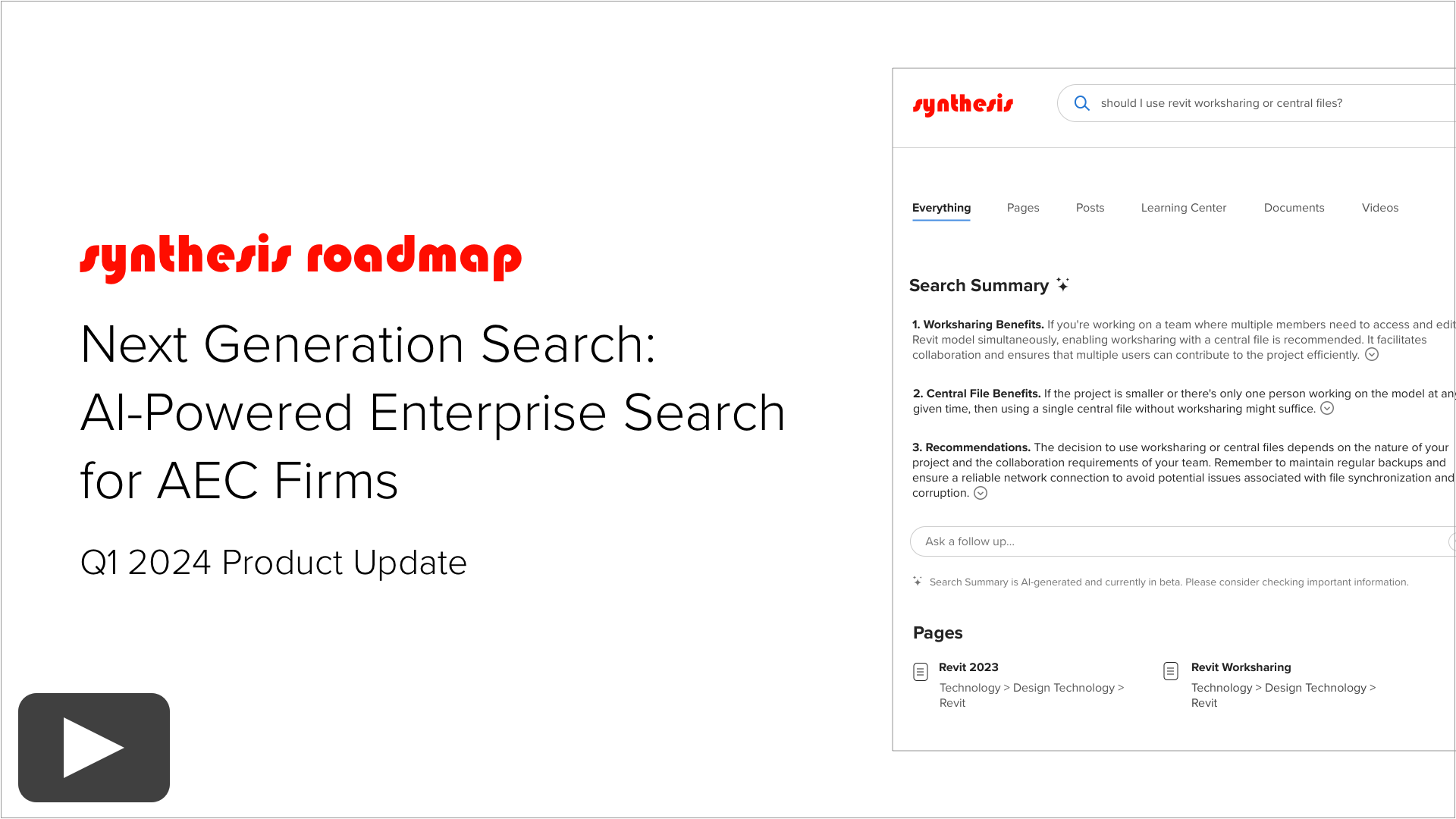
Next Generation Search: AI-Powered Enterprise Search for AEC Firms
Next Generation Search will bring AI-powered Enterprise Search to Synthesis.
In this video, we share our approach to both AI and Enterprise Search, including:
AI-Generated Search Summaries
Three Challenges with End-User Facing Large Language Models (LLMs)
Benefits of Retrieval-Augmented Generation (RAG)
Vector Search Basics
Benefits of Combining Keyword Search with Vector Search
Community AI Program Overview
Why We’re Building an AEC-Specific Embeddings Model
Enterprise Search Roadmap
Next Steps + Timeline for Public Beta
Enjoy!
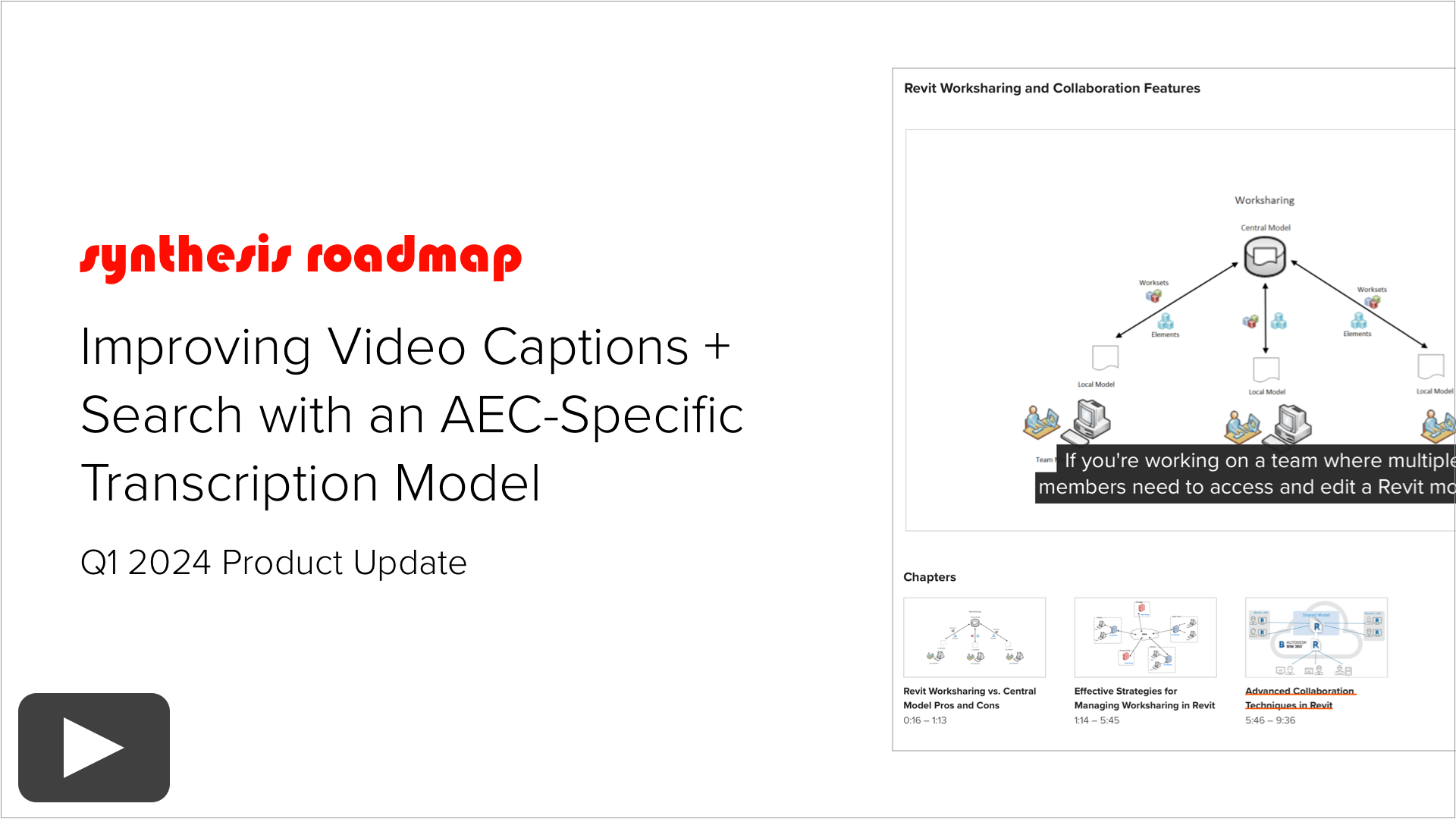
Improving Video Captions + Search with an AEC-Specific Transcription Model
We’ll be releasing an update this spring that will add AI-generated captions, transcripts, and chapters, along with several other enhancements to Synthesis Native Video.
In this video, we go behind the scenes into:
Our AI-Powered Video Captioning Infrastructure
Community AI Program Overview
Benefits of our AEC-Specific Video Transcription Model
Next Steps + Release Timing
Enjoy!
Community AI Program: Overview + FAQ
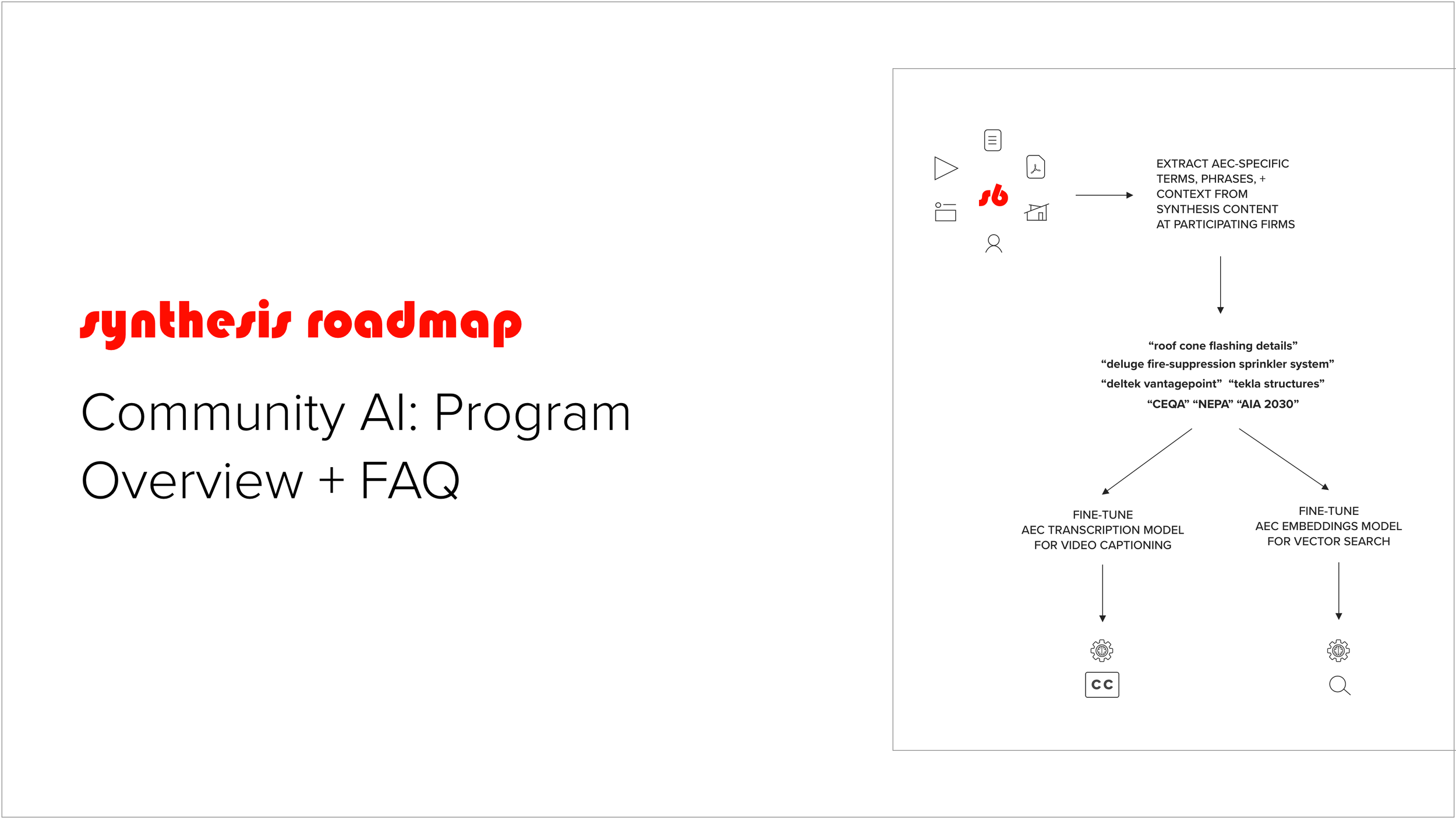
Community AI is an opt-in program that empowers Knowledge Architecture to create AEC-specific AI Infrastructure by training AI models on client content for the mutual benefit of participating firms, while also protecting confidentiality and intellectual property.
In the pursuit of researching two use cases for AI — Next Generation Search and Video Captions — we discovered a unique opportunity to work with our AEC client community to achieve more relevant search results and better captioning.
Thus, Community AI was born.
Initial Focus
The first two Community AI projects will be an AEC embeddings model (for more relevant search results)
and an AEC transcription model (for more accurate video captions.)
To build our AEC models, we’ll extract AEC-specific terms, phrases, and context from Synthesis content at participating firms to allow us to fine-tune our AEC embeddings model for vector search, as well as fine tune our AEC transcription model for video captioning.
For example, we’ll be extracting terms like:
roof cone flashing details
deluge fire-suppression sprinkler system
deltek vantagepoint
tekla structures
CEQA
NEPA
AIA 2030
As your firm and your intranet evolves and grows, KA Community AI will evolve and grow with it, continually learning to understand the latest acronyms, terms, phrases, materials, software programs, and use that understanding to achieve more relevant search results and better captioning.
Participation is Optional
By default, clients are opted-out of the Community AI program and will use generic, open-source embeddings and transcription models.
Clients will need to explicitly opt-in to join the Community AI program to get access to our AEC-specific embeddings and transcription models.
Frequently Asked Questions
Q: How does Community AI ensure confidentiality and protect our intellectual property?
First, our AEC models are behind-the-scenes infrastructure used for data processing. At no point will end users be able to interact with our AEC models, ask the models questions, or ask the models to generate content.
Second, terms are de-identified from your Synthesis instance and your firm and anonymized on the way into the models.
Third, we only extract terms from projects, companies, contacts, and opportunities checked “Show in Synthesis” in your ERP/CRM.
Fourth, we will not extract any data which constitutes Personally Identifiable Information (PII) such as employee social security numbers, home addresses, dates of birth, or telephone numbers.
In talking with clients, we have found it helpful to think of our Community AI models as crowdsourced AEC-specific dictionaries.
Q: What content will Community AI use to build the AEC models?
Community AI will collect AEC-specific terms from:
Your published and active intranet content including, but not limited to, pages, guides, posts, profiles, documents, and videos.
Fields from Identity Management/ERP/CRM/PIM systems (Azure Active Directory, Deltek, Unanet, aec360, Microsoft Dynamics, or Newforma) you have mapped to Synthesis and are associated with active profiles in Synthesis.
Image fields and keywords from OpenAsset you have mapped to Synthesis that match your image import criteria.
Published and active content from systems you have integrated with Synthesis using our Search Connectors, such as Zendesk.
Community AI will not collect AEC-specific terms from:
Projects, companies, contacts, or opportunities with “Show in Synthesis” unchecked in your ERP/CRM.
Fields containing Personally Identifiable Information (PII) such as employee social security numbers, home addresses, dates of birth, or telephone numbers.
Q: What if I opt out now and want to opt in later?
If you opt in, searches will use the AEC vector database going forward. Your existing video captions will remain unchanged, but your new videos will be captioned using the AEC transcription model.
We will rebuild our AEC embeddings and transcription models from scratch every 3-6 months to ensure that we are using the latest terms, phrases, and context across all participating firms. The next time we rebuild our models your data will be included.
Q: What if I opt in now and want to opt out later?
If you opt out, searches will use the generic vector database going forward. Your existing video captions will remain unchanged, but your new videos will be captioned using the generic transcription model.
We will rebuild our AEC embeddings and transcription models from scratch every 3-6 months to ensure that we are using the latest terms, phrases, and context across all participating firms. The next time we rebuild our models your data will not be included.
Q: What if our firm cancels our Synthesis subscription?
We will rebuild our AEC embeddings and transcription models from scratch every 3-6 months to ensure that we are using the latest terms, phrases, and context across all participating firms. The next time we rebuild our models your data will not be included.
Q: Can we use the AEC models without contributing content to the Community AI program?
No. You must contribute to the Community AI program to receive access to the AEC embeddings and transcription models.
Q: How does Synthesis determine which terms and phrases are AEC-specific?
Our Community AI analysis automatically compares all the terms and phrases found in a Synthesis review against an open source database of common English terms and phrases, and flags the terms unique to Synthesis. Once that term or phrase has appeared across multiple clients enough times to meet our threshold, we then 1) add it to our transcription model and 2) extract representative usages of the term from participating content, and use those to both train the transcription model to recognize contexts in which the term might appear, as well as train the embeddings model to understand the semantic meaning of the term to power vector search.
Q: What is vector search?
Vector search is a cutting-edge approach in search technology. Think of it as a smart map for your data. In traditional search methods, finding information is like looking for a specific word in a long list. Vector search, however, works differently. It translates your search query and all the possible search results into a language of numbers, known as vectors. These vectors are plotted in a multidimensional space. The closer two vectors are in this space, the more similar their meanings. So, when you search for something, vector search quickly identifies and presents the most relevant results by finding the closest vectors to your query. This method is much more efficient and accurate, especially for complex or nuanced searches, as it understands the context and meaning rather than just matching keywords.
You can see the impact that building AEC-specific vector search could have on your employees search experience when you consider that a vector database containing semantically-related concepts around terms like facade, sustainability, or building information modeling would help folks find what they are looking for even if they don’t use the correct terms in the search query.
For more information, please see the “Vector Search Basics” chapter of our Next Generation Search overview video.
Q: What is an embeddings model?
An embeddings model is a map for turning words and sentences into vectors compared during vector search. Imagine it as a smart assistant that deeply understands the meaning and context of words and phrases, much like a highly skilled librarian who knows every book in detail. Instead of just matching keywords, this model grasps the underlying concepts and relationships in your search queries. This means when you search for something, the model finds not only the exact words you used but also results that are conceptually related, offering more relevant and comprehensive answers. It's like having a conversation with someone who really 'gets' what you're looking for, making your search experience much more intuitive and effective.
We’ll start with a generic, open source embeddings model and use the content provided by participating firms to fine-tune an AEC-specific embeddings model.
Please watch our Next Generation Search overview video for a more detailed explanation.
Q: What is a transcription model?
A transcription model is like a highly efficient digital transcriptionist that can watch and listen to any video and then convert everything that's said into written text. Just as a skilled assistant takes diligent notes during a meeting, this model analyzes the audio of videos including spoken words and the context in which things are said. It's a powerful tool for making video content more accessible and searchable, saving valuable time and enhancing productivity.
For more information, please watch our Video Captions overview video for a more detailed explanation.
Q: How do we sign up for Community AI?
Once your team is ready to move forward, you can sign up here:
Want to learn more about Synthesis?
Send us an email | 415.523.0410

S6 101: Structure and Organize Your Synthesis 6 Intranet
This video provides a detailed overview of the tools and techniques for structuring your Synthesis 6 intranet, including:
Mega Menus + Community Navigation
Content Outliner
Breadcrumbs
Navigation Blocks
Moving Resources
Page Editing
Links
Guides
Libraries + Communities

S6 102: Content Creation Tools Overview
This video provides a detailed overview of the tools and techniques for creating content in Synthesis 6, including:
Communities + Community Home Pages
Content Outliner
Navigation Pages
Guides
Content Pages + Blocks
Adding New Pages
Page Editing
Links

S6 103: Working with Libraries and Smart Blocks
Document, Video, and Image Libraries are great tools for building central repositories of large collections of files such as Design Standards, Presentations, Training Videos, or Stock Images.
Smart Blocks allow you to insert files from those libraries onto pages using filters.
Together they provide a powerful combination for managing essential content.
This video provides a detailed overview of the library and smart block tools in Synthesis 6, including:
Adding a new library and uploading files
Creating and populating custom fields
Using filters, sorting, grouping, and editing columns to configure saved global views
Linking to saved global views
Version history
Moving existing files from a page to a library
Adding and configuring smart blocks

S6 104: Creating and Using Page Templates
We created page template for two main reasons — to streamline page creation and to help you create a consistent user experience for your users.
This getting started video provides a high-level overview of creating and using page templates in Synthesis 6.

S6 105: Configuring Employee Directories + Profiles
This video provides a detailed overview of the core tools and techniques for configuring Synthesis 6 employee directories and profiles, including:
Configuring Default Directory Views
Creating Additional Global Directory Views
Adding Global Directory Views to Navigation
Configuring Profile Layouts
Adding Mapped Fields
Configuring Mapped Fields
Creating Custom Fields
Populating Custom Fields
Displaying Custom Fields in Employee Profiles, Directories, and Blocks

S6 106: Configuring Project Directories + Profiles
This video provides a detailed overview of the core tools and techniques for configuring Synthesis 6 project directories and profiles, including:
Configuring Default Directory Views
Creating Additional Global Directory Views
Adding Global Directory Views to Navigation
Configuring Profile Layouts
Adding Mapped Fields
Configuring Mapped Fields

S6 107: Branding Your Synthesis 6 Intranet
This video provides a detailed overview of the core tools and techniques for branding your Synthesis 6 intranet, including:
Uploading Logos
Changing Global Fonts
Configuring Colors
Configuring Heading Styles
Configuring Link Styles

S6 108: Getting Started with Posts, Hashtags, and Notifications
This video provides a detailed overview of the main tools in your Synthesis 6 internal communications toolbox, including:
Posts and Hashtags
Posts Basics
Post Editor
Promoted Posts
System Posts
Stream Block
Posts Block
Hashtag Page
Hashtag Block
Notifications
Email Notifications
Manage Email Preferences
Weekly Email
Administration Tools
Stream Administration
Hashtag Administration
Post Analytics

S6 109: Getting Started with Search
This video provides a high-level overview of Synthesis Search, including a look ahead to what’s coming in the future on the Synthesis Product Roadmap.

S6 110: Manage Users + Permissions
This video provides a detailed overview of the tools and techniques for managing Synthesis 6 users and permissions, including:
Adding Users to Synthesis and the Employee Directory
Granting Users Staging Access
Overview of Synthesis 6 Permission Levels
Assigning Permissions Levels to Global Administrators, Community Managers, and Content Editors
Assigning À La Carte Global Permissions such as Stream Administrator, Page Templates, and Branding